Page 13
PA2040
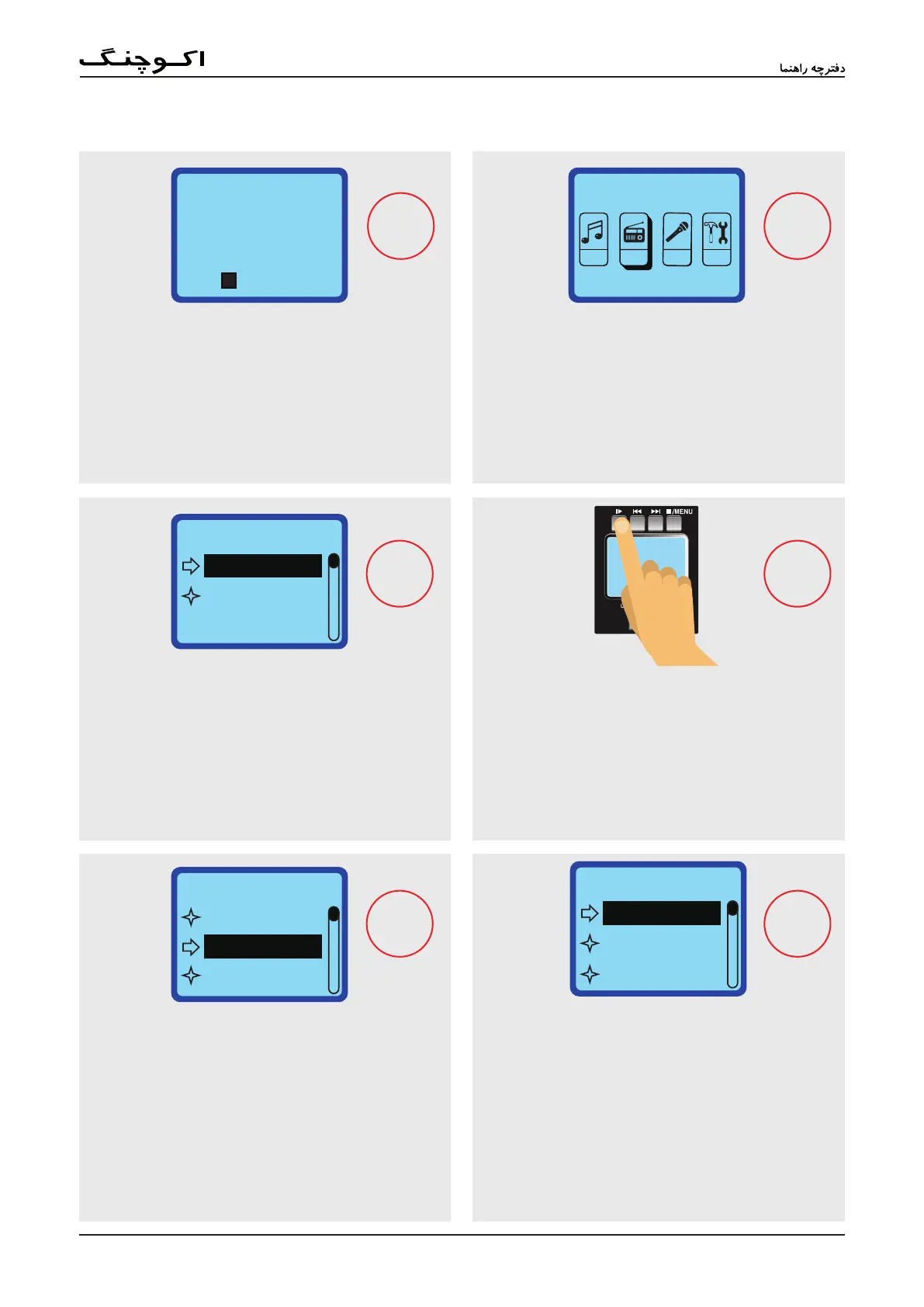
Use the and : buttons to navigate to the FM
icon and push }; to select. Ensure your antenna is
attached before beginning (see point #24).
Push and hold the }; button to access the menu for
this function.
Select 'Auto Search' and press the
}
; button to begin
nding stations in your area.
This is only required the rst time you use the FM
Radio function as they will be stored for later use.
When complete, the radio will automatically start. You
can push the and : buttons to navigate between
your saved stations.
Using the FM Radio
STEP 1
1
STEP 2
2
STEP 3
STEP 4
4
Recording CtlII
start rec
)FM ANTENNA(
FM :
II
:
2II
AUTO SEARCH
II
2II
Pause RecRecord Ctl
Save Rec
Also within this menu, users can select to record the
currently active station. Push and hold }; button,
select the “Record Ctl” option and select “Start Rec”.
Push and hold }; button and select “Record Ctl” again
to nd the "Pause Rec" and "Save Rec" options.
STEP 6
STEP 5
5
6 3
Radio
MSC FM REC SYS
Radio
C06
Rec
91.7MHz
recording Ctl
Exit
start rec
recording Ctl
Exit
save rec
pause rec
Radio
Record Ctl
Auto Search
Echo Ctl
Radio
C06
Rec
91.7MHz
FM


 To Next Page