EasyManua.ls Logo

Echo Chang PA 2040 - Internal Memory Recording Guide; Recording to Internal Storage; Recording File Naming and Format

Echo Chang PA 2040
20 pages
Print Icon
To Next Page IconTo Next Page
To Previous Page IconTo Previous Page
Loading...
Page 14
PA2040 User's Manual
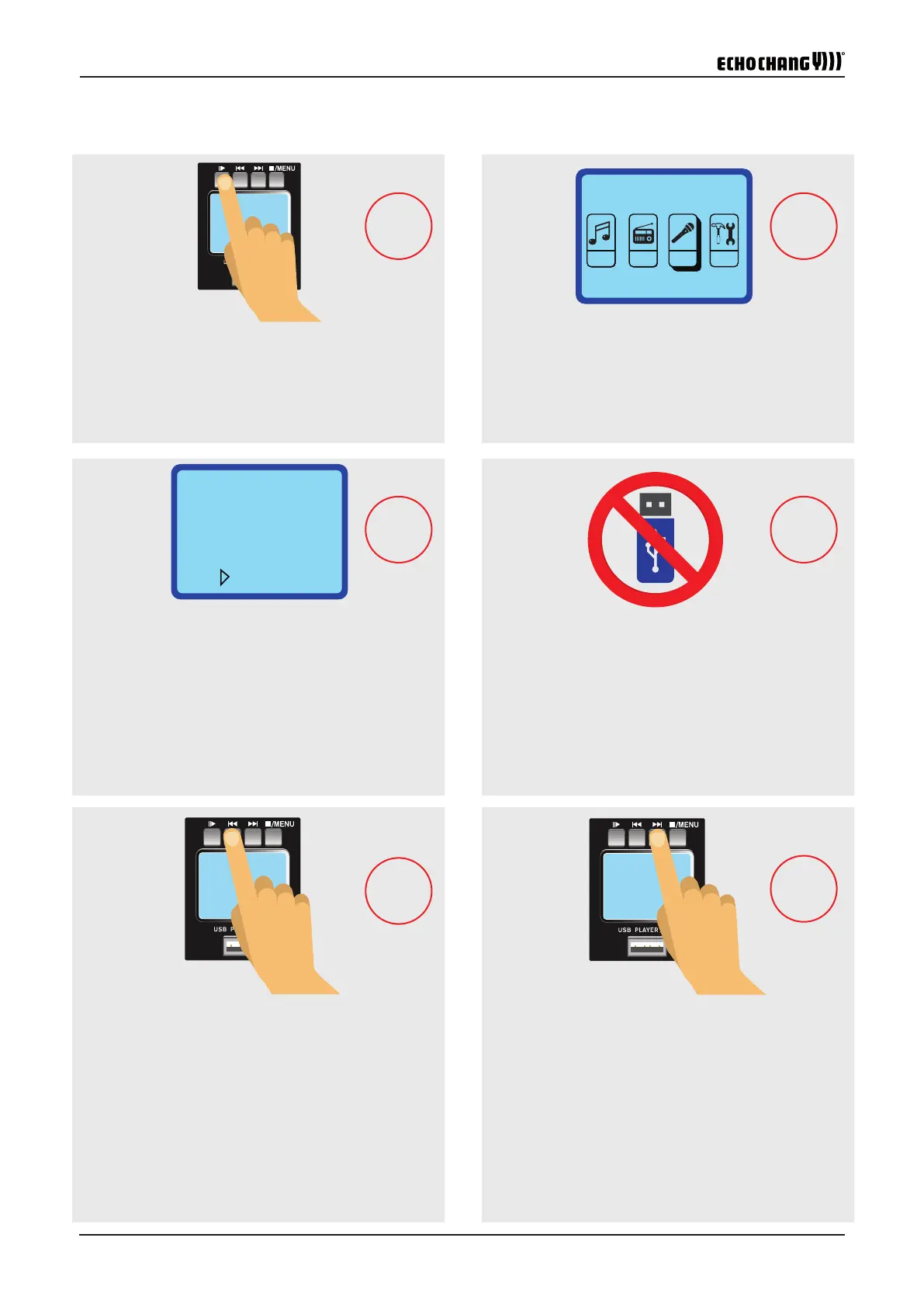
Use the and : buttons to locate the "REC" menu
and push
;
to select.
 REC:
II
 USBUSB

:
II
II


II
WAVMP3
WAV

 

 FILE0001.WAV
 0002-0003-0004……


Use
;
to pause recording at any time. Push
;
again to resume recording.
USB
Ensure you do not insert a USB ash drive. This will
allow you to record directly to the onboard storage
by default.
Push the : button to begin recording.
The current recording destination and record time will
appear on screen. Push and hold the
;
button to
enter into the Recording function's menu at any time.
Push the button within the recording menu to
immediately save the recording.
Files will be named like so: FILE0001.WAV. The le
number is increased by 1 for each new recording.
STEP 4
STEP 6
STEP 5
STEP 1
STEP 2
STEP 3
Recording an MP3 to Internal Memory
4 1
2
3
5
6
Record
FMMSC RE SYSC
Record
SD1
Rec
00:00:10
Radio
C06
Rec
91.7MHz