EasyManua.ls Logo

Echo Chang PA 2040 - USB Drive Recording Guide; Recording to USB Flash Drive; USB Recording File Management

Echo Chang PA 2040
20 pages
Print Icon
To Next Page IconTo Next Page
To Previous Page IconTo Previous Page
Loading...
Page 15
PA2040
II
II


II
WAVMP3
WAV

 

 FILE0001.WAV
 0002-0003-0004……


REC:
II
:
USB
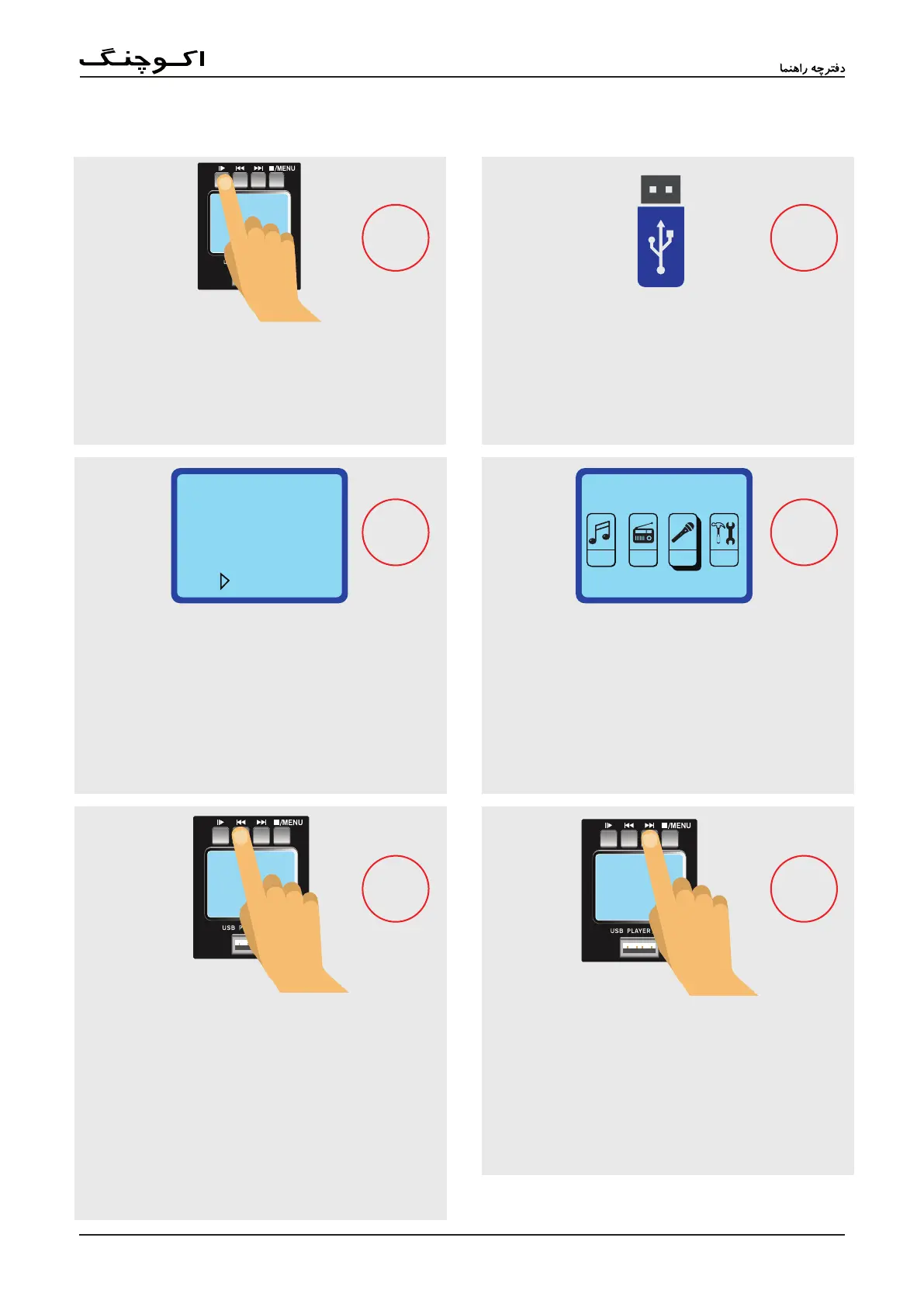
Recording an MP3 to USB Drive
STEP 4
STEP 6
STEP 5
STEP 1
STEP 2
STEP 3
4 1
2
3
5
6
Use the and : buttons to locate the "REC" menu
and push
;
to select.
Use
;
to pause recording at any time. Push
;
again to resume recording.
Push the : button to begin recording.
The current recording destination and record time will
appear on screen. Push and hold the
;
button to
enter into the Recording function's menu at any time.
Push the button within the recording menu to im-
mediately save the recording.
Files will be named like so: FILE0001.WAV. The le
number is increased by 1 for each new recording.
As the PA2040 records in WAV format, we strongly suggest
using larger USB ash drives for recording purposes.
Record
FMMSC RE SYSC
Record
USB
Rec
00:00:10
Radio
C06
Rec
91.7MHz
USBUSB
Insert a FAT-32 formatted USB ash drive. This will
automatically allow you to record directly to the USB
ash drive.