Page 10
PA2040 User's Manual
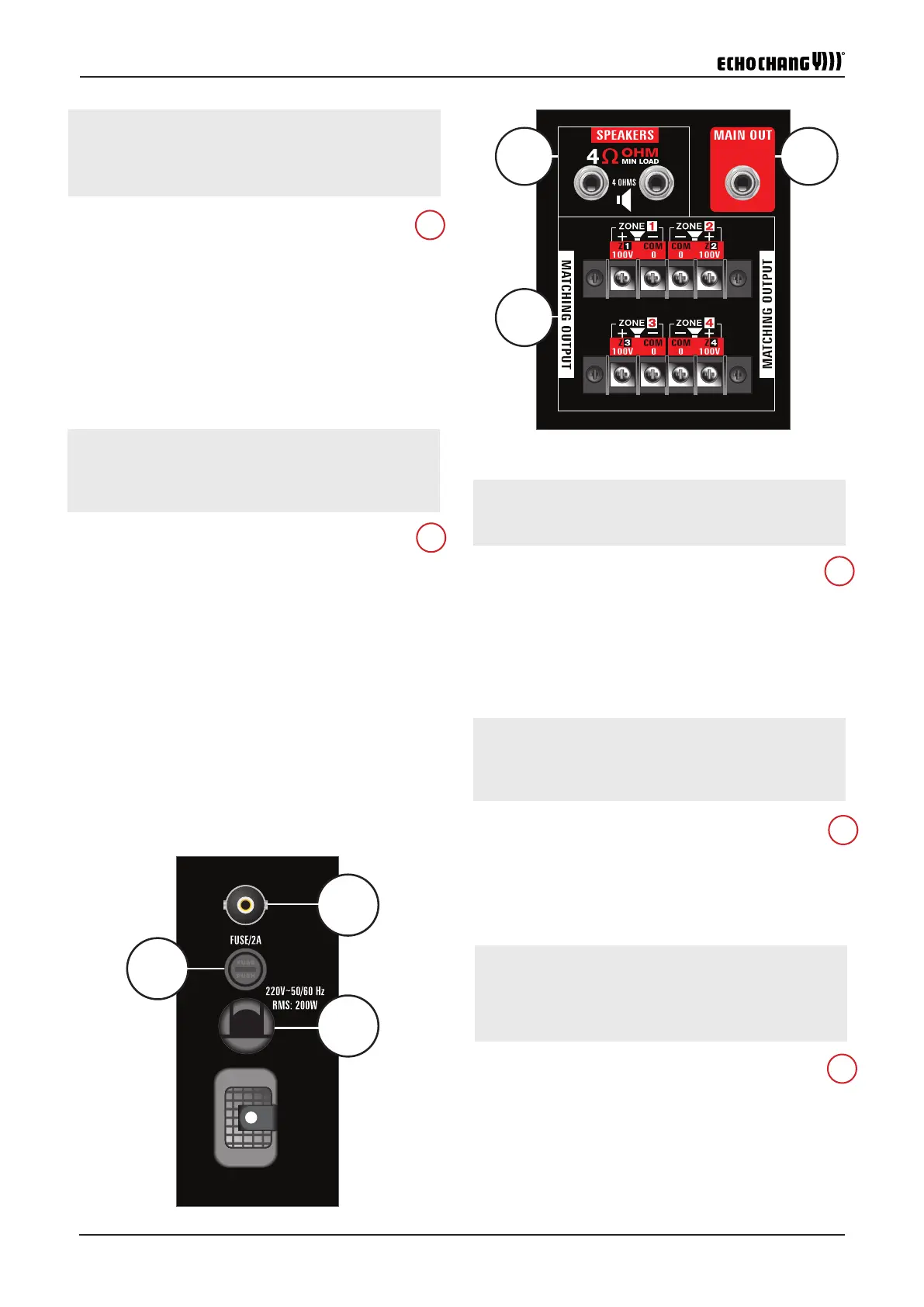
24. Antenna
This BNC port is for the inclusion of the PA2040's antenna. This
allows the built-in USB module's radio to receive radio signals. The
radio function can be found within the USB module's main menu.
22.
Speakers can be connected to these jacks. The PA2040 includes
two 4Ω outputs. Each of these allow for a single 4Ω speaker or two
8Ω speakers to be daisy-chained.
23. Zone Outputs
Each of the four available zones features a 100V output which
allows for distributed line setups. This can be used with speakers
with built-in 100V transformers. A distributed line setup allows for
more speakers to be included in each zone.
25. Fuse
The PA2040's fuse can be found here. If the system doesn't turn
on for any reason, be sure to check the fuse to see if it needs re-
placing. The PA2040 requires a 2A fuse.
21. Main Output
This sends line level signals from the mixer to external devices,
such as power ampliers or powered monitors.
23
22
21
25
24
)BACKGROUND MONITOR(
Zone Output
ZONE 1 , ZONE 2, ZONE 3, ZONE 4
" ZONE 1 , ZONE 2, ZONE 3, ZONE 4
Fuse Holder
FM Antenna
FM
)FM ANTTENA(
4
16 4
2122
23
24
26
25


 To Next Page