Page 9
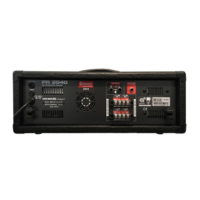
PA2040
BLUETOOTH NAME: SENPRINI_PA2040
PASSWORD: 2040
SENPRINI_PA2040 :
2040 :
15. Stop/Menu Button
In general, pushing this button will return you to the previous
menu. This includes when navigating menus and sub-menus with-
in the USB recording module.
16. Bluetooth Button
Push this button to activate the Bluetooth streamining function of
the PA2040. The PA2040 will then be available as SENIPRINI_
PA2040 in your BT-enabled devices. Activate with the password:
2040. The audio will be sent through your channel 3 input.
17. USB/Tape/Radio Input and Control
These RCA inputs allow the cassette recorder or CD players to be
added to the Master outputs. The included knob adjusts the signal
level from the Tape In and USB module input to the Master and
Zone mixes.
18. Line Out
These RCA and ¼” sockets provide signal output (pre-master fad-
er) for cassette decks, MP3 recorders and consumer-grade audio
equipment.
19. VU Meter
This 6-segment meter shows the output level of the main mix. The
meter gives users a constant visual warning of excessive peaks
in signals that might cause overloading. Adjusting the output level
control to allow the indicator arm to occasionally sit around (or
before) the center to 70% position will ensure you get little to no
distortion while maintaining a high quality of audio.
CH3
SENPRINI_PA2040
2040
WIRELESS READY
CH3
19
20
18
16
17
15
RCA FM
RCA
USB/TAPE IN
RCA
RCA
CD RECORDER
VU Level Meter
LED
DISTORTION
Power Switch & Indicator
MASTER
/ MENU
20. Power Button
This button is used to turn the PA2040 on and o. Be sure to turn
the system's Master Volume down before powering on the mixer.


 To Next Page
 Loading...