USER MANUAL
PAGE 6 OF 12
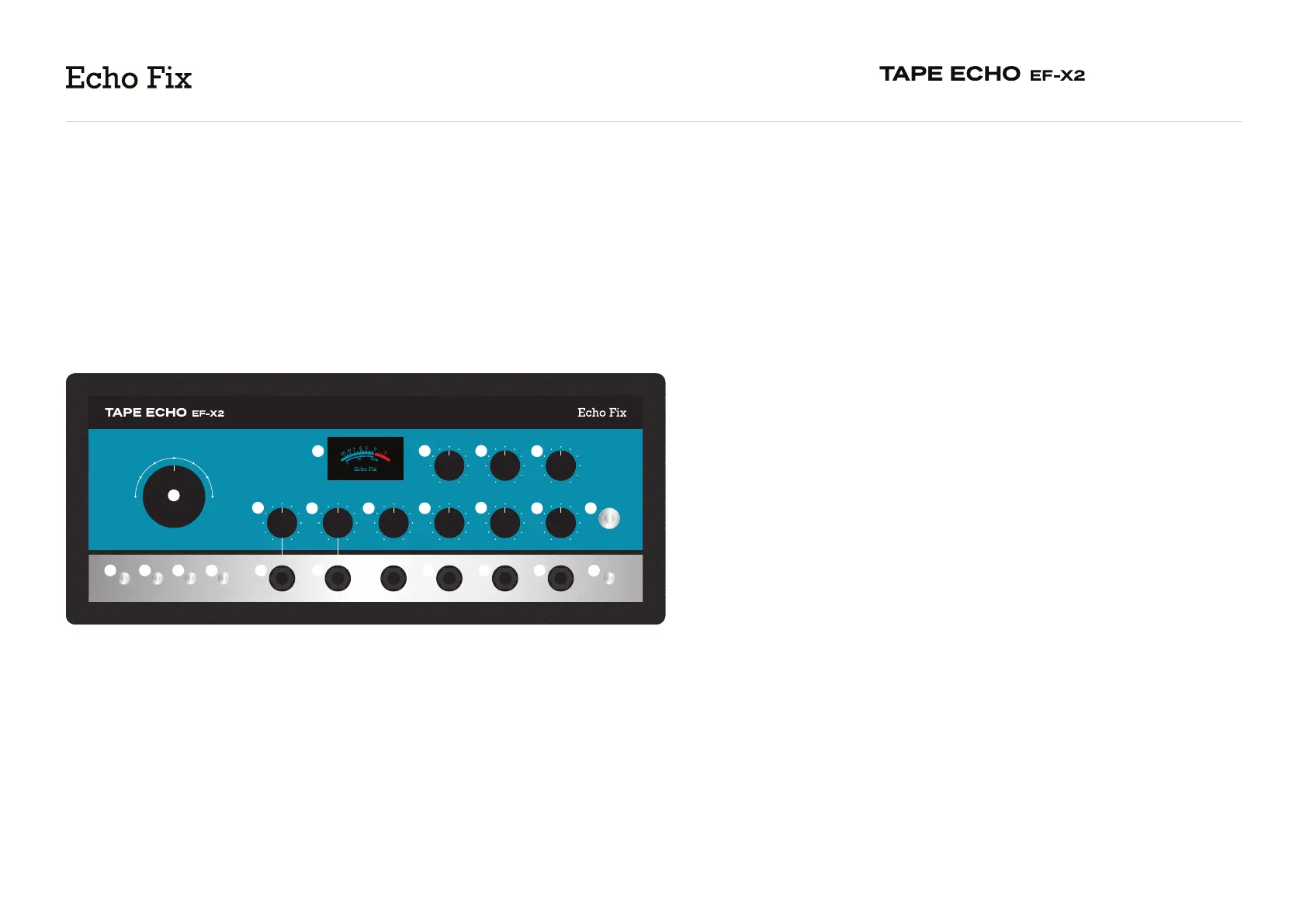
I. Remote Eect Cancel - allows for bypassing of unit functions with an
external footswitch. Connect a one-button TS footswitch to bypass the echo
only, or a two-button TRS footswitch (latching type) for bypass of the echo
(tip) and reverb (ring).
J. Output - connect to an amplifier, audio interface or additional eects
processors.
K. Output Level - sets the overall output level of the unit.
L. Echo Mode - 7-position selection of the unit’s “read” heads. Please consult
the following table for a guide to these settings:
Mode 1 - Head 1 (“short”) [56 - 221ms]
Mode 2 - Head 2 (“medium”) [121 - 477 ms]
Mode 3 - Head 3 (“long”) [187 - 800 ms]
Mode 4 - Head 1 + 2 (“short” + “medium”)
Mode 5 - Head 2 + 3 (“medium” + “long”)
Mode 6 - Head 1 + 3 (“short” + “long”)
Mode 7 - Head 1 + 2 + 3 (“short”, “medium” and “long”)
The Sound On Sound playback head can be engaged over all the above
settings.
M. Guitar/Hi-Z Volume - sets the input gain for (E).
N. Line Volume - sets the input gain for (F).
O. Reverb Decay - controls the decay time for the reverb circuit or the chorus
intensity.
P. Reverb Volume - controls the volume of the reverb or chorus.
4
3
2
1
7
6
5
FEEDBACKTREBLEBASS
ECHO VOLUMESPEEDREVERB VOLUMEREVERB DECAYLINE VOLUMEGUITAR/HI-Z VOLUME
ECHO MODE
CV REMOTE SPEEDLINEGUITAR/HI-Z CV REMOTE FEEDBACK REMOTE EFFECT CANCEL OUTPUT OUTPUT LEVEL
HIGH
LOW
ON
OFF
S. ON S.
ON
OFF
ECHO
ON
OFF
MOTOR
ON
OFF
DIRECT
ON
OFF
A
B
C D
E
F
G H I
J
K
L
M
N O P
Q
R
S
T
UV
W
UNDERSTANDING
THE EF-X2
2


 To Next Page