USER MANUAL
PAGE 5 OF 12
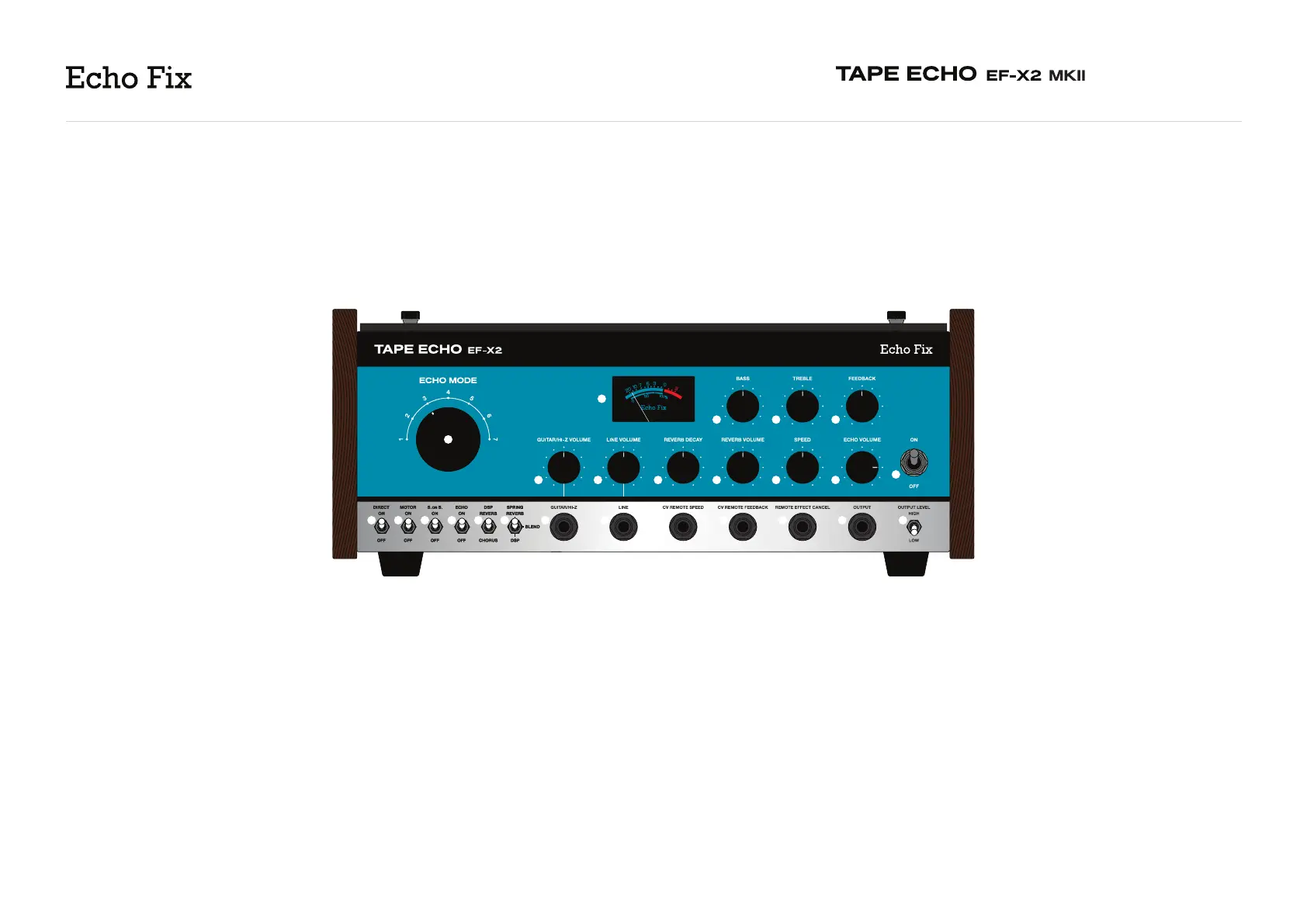
A. Direct ON/OFF Switch - Switches the direct signal
off or on. For traditional echo operation (wet + dry
signal), set to “ON”. For wet-only, set to “OFF”.
B. Motor ON/OFF Switch - Allows you to turn the
tape drive motor on or off. This is useful for achieving
slow down/tape stop effects, or to increase tape life
when using the EF-X2 MKII as a preamp or for reverb/
chorus effect only.
C. Sound On Sound ON/OFF Switch - Activates an
additional playback head, positioned at the unit’s
longest possible delay time.
D. Echo ON/OFF Switch - Bypasses the echo record
circuit, allowing you to use the unit as a preamp and
reverb/chorus effect only. It is also recommended to
turn “Echo Volume” (R) all the way down when using
the unit in this way.
E. DSP Reverb/Chorus Switch - Toggles between
digital reverb or digital chorus.
F. Spring/DSP Blend Switch - Selects between spring
reverb, digital reverb/chorus, or a fixed blend of spring
reverb and digital reverb/chorus effects (determined
by the DSP Reverb/Chorus switch (E)).
A B C D E F G H I J K L M
U
TSR
W X Y
QPO
N
V
UNDERSTANDING THE EF-X2 MKII
FRONT PANEL
2



 To Next Page