EasyManua.ls Logo

Echo SC-3013 - User Manual

Echo SC-3013
34 pages
Print Icon
To Next Page IconTo Next Page
Loading...
OPERATORS MANUAL
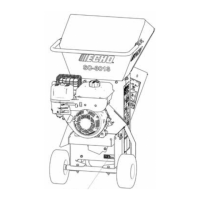
3 INCH CHIPPER SHREDDER
SC-3013
Cancer and Reproductive Harm
www.P65Warnings.ca.gov
Read and understand all provided literature before use.
Failure to do so could result in serious injury.
WARNING
WARNING
99922205553
www.echo-usa.com
© 12/2020 ECHO Incorporated

Questions and Answers

  • M
    Melissa CraigAug 14, 2025
    Why won't my Echo SC-3013 engine start?
    • B
      Brandon VelazquezAug 15, 2025
      If the engine of your Echo Paper Shredder won't start, there are several possible causes. First, make sure that the fuel tank is filled and the oil level is correct. Second, check if the spark plug is connected. Third, inspect the kill switch on the access cover for damage and replace it if necessary. Also, the fuel might be dirty, stale, or contaminated; in this case, drain the tank and refill it with fresh, clean unleaded regular gasoline or diesel, and replace the fuel filter. If none of these steps work, there may be internal engine problems, and you should consult your engine dealer.
  • T
    Tiffany NguyenAug 18, 2025
    What to do if my Echo SC-3013 Paper Shredder engine runs, but dies or does not accelerate properly?
    • E
      Elizabeth GambleAug 18, 2025
      If your Echo Paper Shredder engine runs but then dies or doesn't accelerate properly, several factors could be responsible. Start by checking the air filter and cleaning or replacing it if it's dirty. Next, replace the fuel filter if it's dirty. Also, inspect the fuel vent and clean or replace it if it's plugged. Consider that the cooling system could be dirty or plugged, so clean it. Finally, the spark arrestor might be plugged, so clean or replace it.
  • D
    Denise FieldsAug 21, 2025
    What to do if my Echo Paper Shredder engine or rotor stalls or stops?
    • M
      mccormickheatherAug 21, 2025
      If the engine or rotor stalls or stops on your Echo Paper Shredder, it could be due to a plugged chipper rotor housing or discharge tube. Shut off the engine, disengage the belt engagement, and refer to the manual for instructions on clearing the plugged rotor. Never use the belt engagement to clear a plugged rotor. Another cause could be feeding material that is too large; limit branch size to the rated capacity.
  • J
    Joseph ThorntonAug 25, 2025
    Why is my Echo SC-3013 Paper Shredder chipping poorly?
    • F
      Fred AlvarezAug 25, 2025
      If your Echo Paper Shredder is chipping poorly, the chipper blades may be dull. Try flipping, sharpening, or replacing them. Also, ensure that you are limiting branch size to the rated capacity, as feeding material that is too large can also cause poor chipping.
  • K
    Kelli JacksonAug 28, 2025
    Why is my Echo Paper Shredder experiencing excessive vibration while running?
    • M
      Michelle DrakeAug 28, 2025
      If you're experiencing excessive vibration while running your Echo Paper Shredder, it could be due to several reasons. Dull chipper blades can cause this, so try flipping, sharpening, or replacing them. You should also check the drive belts, bearings, and pulleys for any bad or worn areas, and inspect the rotor for damaged or missing chipper blades, replacing them if needed. Also, check if the chipper blade to anvil clearance is incorrect, and set the blade/anvil clearance to the recommended distance.
  • D
    Darren NicholsAug 31, 2025
    Why is my Echo SC-3013 Paper Shredder hard to feed, requiring excessive power to chip?
    • D
      Devin JohnsonAug 31, 2025
      If your Echo Paper Shredder is hard to feed and requires excessive power to chip, it may be due to dull chipper blades. Try flipping, sharpening, or replacing them. Also, check the blade/anvil clearance and set it to the recommended distance.
  • M
    Matthew WhiteSep 3, 2025
    What causes my Echo SC-3013 engine to overheat?
    • D
      Dr. Brian LopezSep 3, 2025
      If the engine of your Echo Paper Shredder overheats, it could be due to a plugged cooling system. Clean the cooling fan and cooling fins on the radiator or engine block. Also, check the coolant level and fill the engine to the correct level, referring to the engine owner’s manual for guidance.
  • C
    codyperezSep 6, 2025
    What to do if my Echo Paper Shredder engine stalls or belt squeals when engaging belt?
    • O
      ortizkimberlySep 7, 2025
      If the engine stalls or the belt squeals when engaging the belt on your Echo Paper Shredder, it may be because you are engaging the belt too fast. Try reducing the engagement speed.
  • T
    turnermarySep 10, 2025
    What causes excessive belt wear on my Echo SC-3013?
    • R
      Randall GrossSep 12, 2025
      Excessive belt wear on your Echo Paper Shredder can be caused by not using the correct belt. Contact your nearest authorized dealer to order the correct belt for your chipper. Also, damaged or worn pulleys can cause this issue, so replace them if necessary. Additionally, ensure the pulleys are aligned to within 1/16" with a straight edge. Finally, belts tension too loose can cause excessive wear, so replace the belt or belt tension spring.

Summary

Getting Started

Customer Support and Product Registration

Contact ECHO support and register your product for warranty and updates.

Service and Parts Information

Details on authorized dealers, engine service, and genuine parts availability.

Safety First

Safety Alerts and Fire Hazard Information

Understanding safety symbols and fire prevention measures for operation.

Pre-Operation Safety Checks

Before Operating Safely

Essential checks and preparations before operating the chipper/shredder.

Safe Operation Practices

Guidelines for safe operation, including work area and personal protective measures.

Maintenance and Storage Safety

Safety During Servicing and Storage

Safety procedures for servicing, storing, and maintaining the machine.

Understanding Safety Decals

Safety Decal Identification and Location

Identifying and locating important safety decals on the equipment.

Assembly Guide

Assembling the Chipper Shredder Unit

Step-by-step instructions for assembling the main components of the machine.

Engine Preparation

Adding Engine Oil and Fueling

Procedures for checking engine oil and safely filling the fuel tank.

Machine Features and Controls

Chutes, Throttle, and Engagement Handle

Overview of chutes, engine throttle, and engagement handle functions.

Engine Controls Explained

Engine Choke Operation

How to use the engine choke for starting and running the engine.

Operating Your Chipper Shredder

Starting Engine and Operating Chipper

Step-by-step guide for starting the engine and operating the chipper function.

Chipper Operation Best Practices

Safe Material Feeding and Operation Tips

Best practices for feeding materials and safe operation techniques.

Stopping Machine Procedures

Slowing Down and Stopping the Machine

Correct procedures for safely slowing down and stopping the chipper rotor and engine.

Service and Maintenance Schedule

Regular Maintenance Schedule and Tasks

A comprehensive schedule for regular maintenance checks and tasks.

Rotor and Blade Maintenance

Rotor Lock and Chipper Blade Removal

Procedures for locking the rotor and removing chipper blades safely.

Blade Maintenance

Sharpening and Installing Chipper Blades

Guides for sharpening chipper blades and installing them correctly.

Knife and Anvil Maintenance

Shredder Knives and Anvil Adjustment

Maintenance of shredder knives and adjustment of the chipper anvil.

Clearing Obstructions and Screens

Clearing Rotor Plugs and Changing Screens

Procedures for clearing rotor plugs and changing discharge screens.

Belt System Adjustments

Belt Guide Adjustment Procedures

How to adjust belt guides for proper belt engagement.

Drive Belts and Rotor Service

Drive Belt Service and Rotor Removal

Instructions for drive belt maintenance and removing the rotor.

Fluid and Lubrication Maintenance

Engine Oil Change and Lubrication Points

Procedures for changing engine oil and lubricating machine components.

Troubleshooting Engine Issues

Engine Start, Stall, and Overheating Problems

Diagnosing and fixing issues when the engine fails to start, stalls, or overheats.

Troubleshooting Performance Issues

Belt, Feeding, and Vibration Problems

Resolving problems with belt engagement, feeding, and excessive vibration.

Product Specifications

Machine and Engine Technical Details

Key technical specifications for the chipper shredder and its engine.

Torque Specifications

Bolt and Fastener Torque Values

Detailed tables for applying correct torque to bolts and fasteners.

Optional Accessories

Available Accessories and Kits

List of optional parts like screens, covers, and kits for the machine.

Product Registration

Registering Your ECHO Product

Instructions on how to register your ECHO product for warranty and updates.

Echo SC-3013 Specifications

General IconGeneral
BrandEcho
ModelSC-3013
CategoryPaper Shredder
LanguageEnglish

Related product manuals