EchoLife ET655 IP Phone User Manual
23
5 Using the ET655
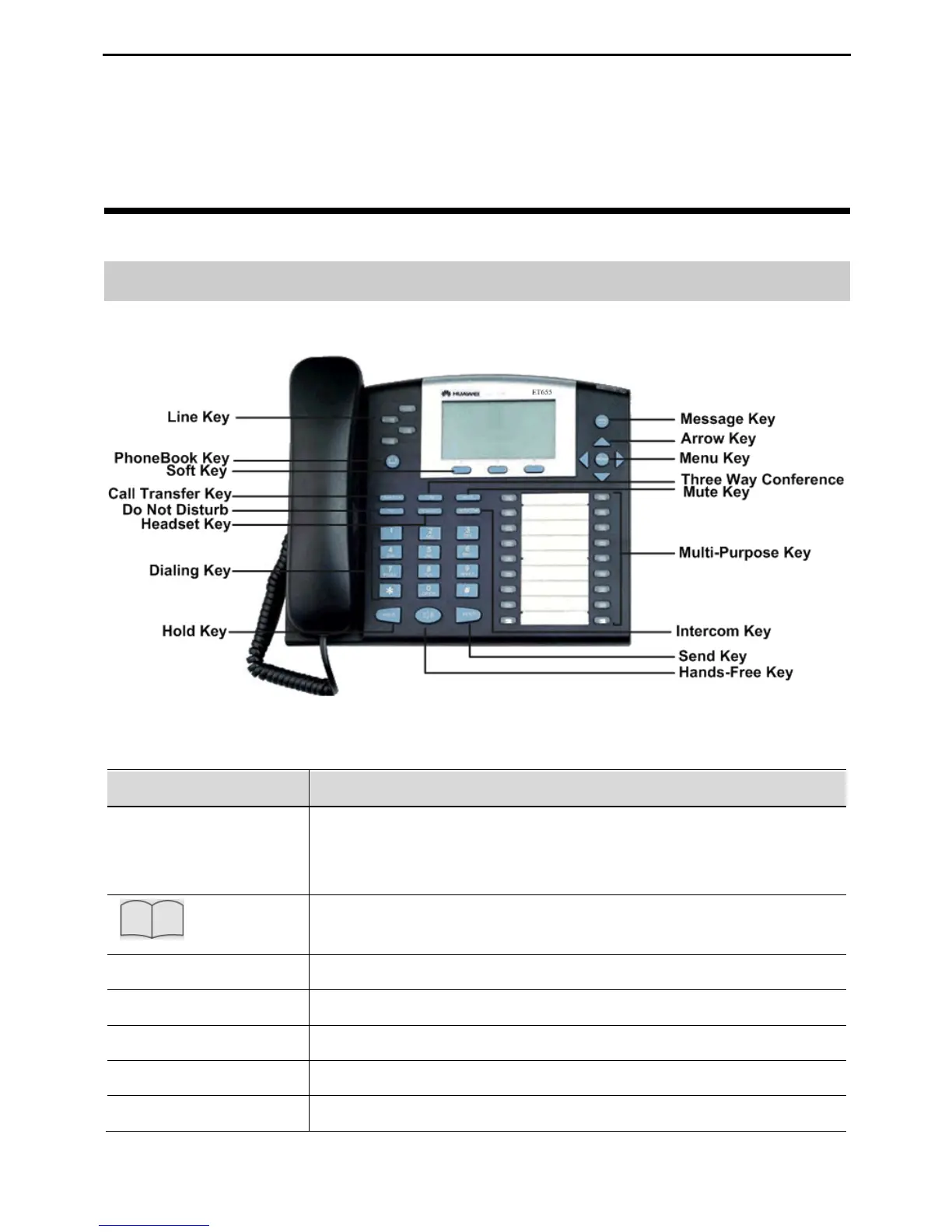
Getting to Know the Keyboard
Figure 5-1 Getting to know the keypad
Table 5-1 ET655 keypad
Four line keys with dual-color LED indicator lights.
Each line key supports an independent SIP account.
The four line keys provide the hands-free feature.
Press the key to display the phone book and associated
items.
Transfer the current call to another number.
Set up a three-party conference call for the caller and callee.
Mute the call (the other party cannot hear your voice).
Enable or disable the DND function.
Dial or answer with the headset.



 To Next Page