16
Installation Guide
16
tel - 1-866-766-2267
email - gmsupport@echomaster.com
Illustrations are typical and may not match exact vehicle detail
Installing the Camera Caps
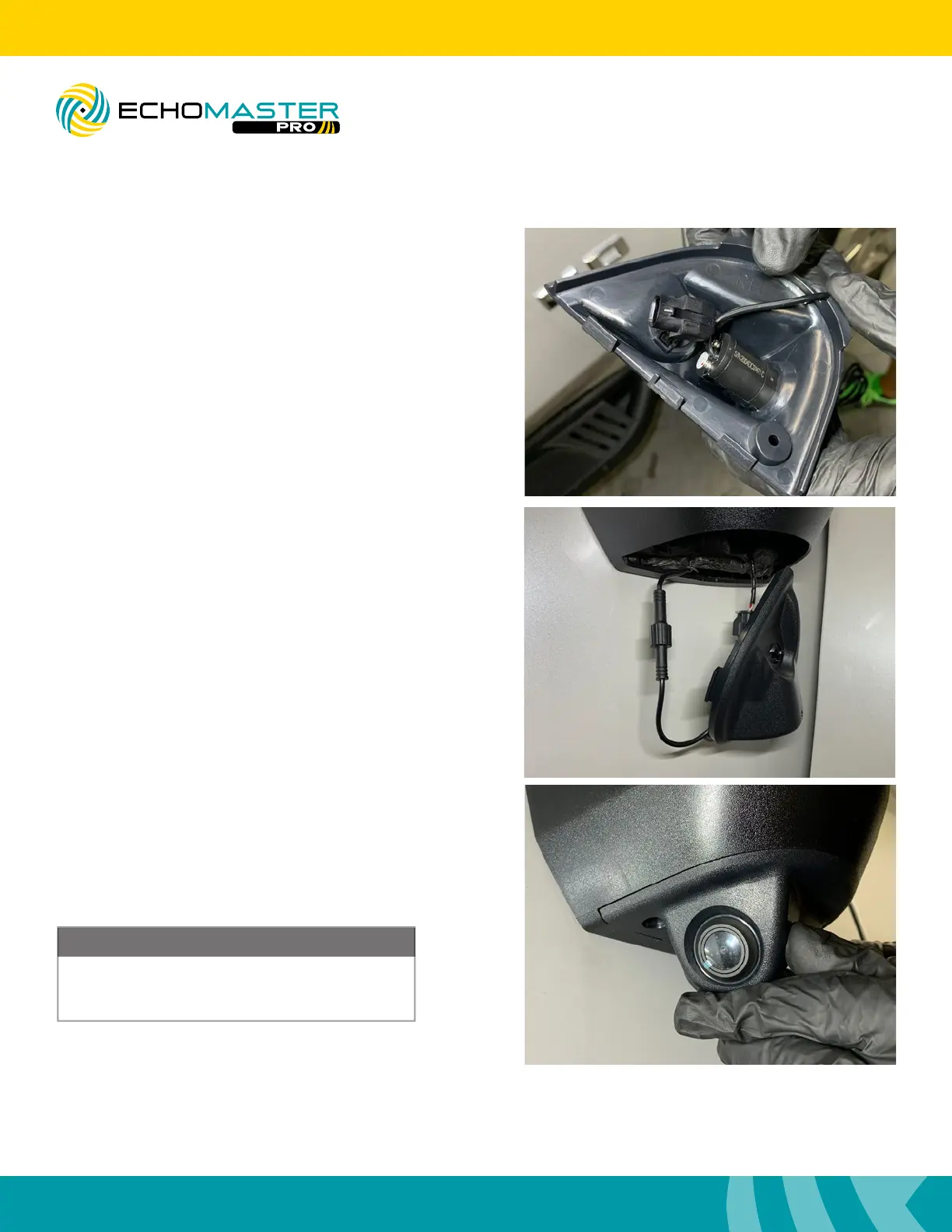
Step 1 (Passenger Side Only)
Insert the temperature sensor into the camera pod.
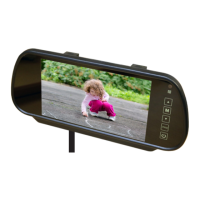
Step 3
Starting with the outermost rounded edge, pop
the camera pods into place and secure with the
factory T15 screw.
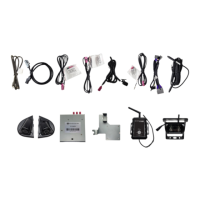
Step 2
Connect the camera pigtail to the camera harness.
Make certain the connector is fully seated and
twist the locking portion of the connector until
tight.
At this time remove the protective film from the
camera lens. Failure to do this will result in a
slight blur to the cameras picture.
NOTE
FCTP-GM2003
Trailering Camera System



 To Next Page