9
Installation Guide
9
tel - 1-866-766-2267
email - gmsupport@echomaster.com
Illustrations are typical and may not match exact vehicle detail
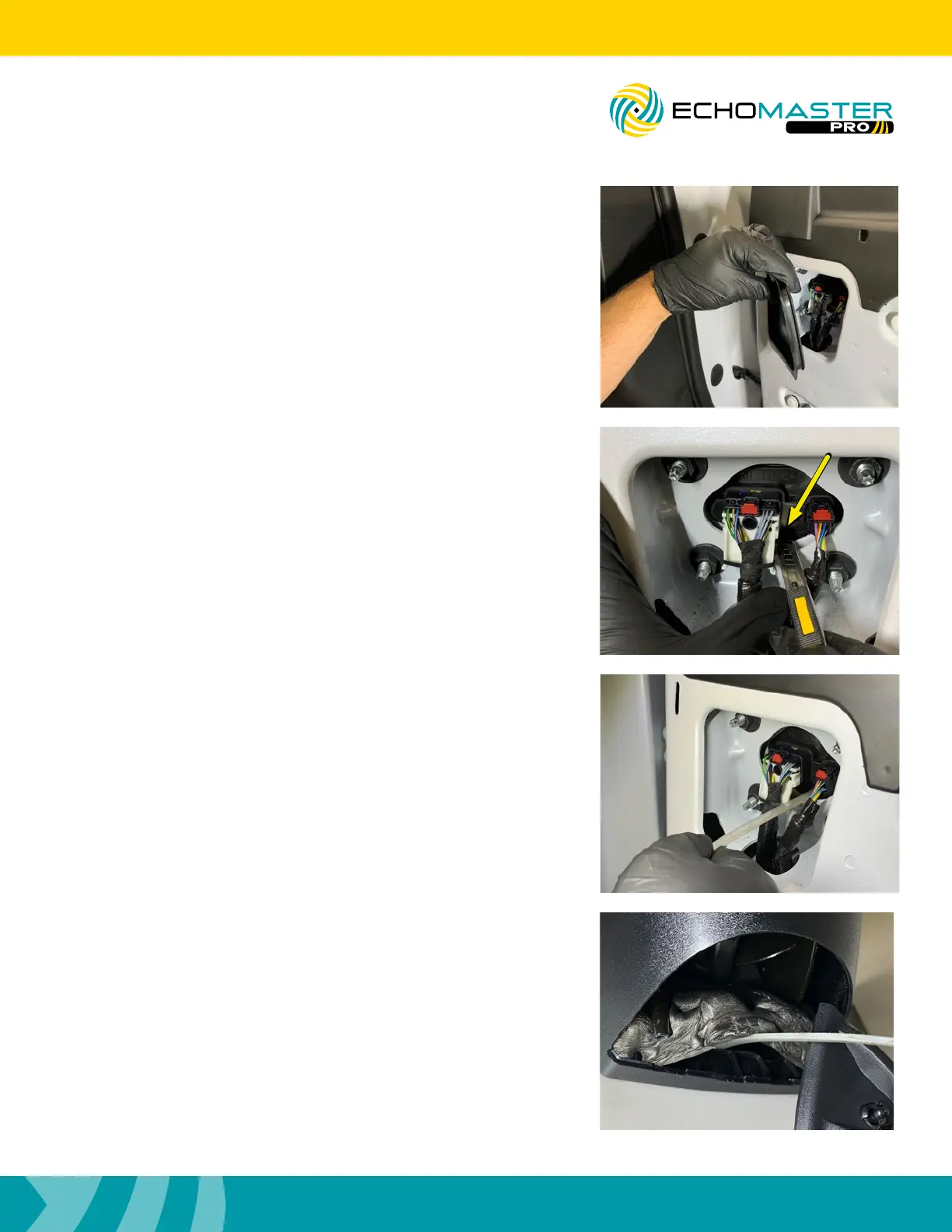
Step 4
Remove the plastic cap on the upper inside corner of the
door to gain access to the rubber membrane and the factory
connectors.
Step 6
Feed the fish tape through the opening made in the last step.
To gain access to the end of the fish tape from the outside
mirror cap opening you will need to lift the foam liner inside of
the mirror base.
FCTP-GM2003
Trailering Camera System
Step 5
Using a razor knife, make a small slit between the two
connectors at the bottom of the rubber membrane just large
enough for the camera cable to pass through.



 To Next Page