Page 51
Using Dual and Single Modes
Using Shared View
Shared View is a feature of Single Mode that lets you activate the TV2 audio
and video outputs to display the same programming as the TV1 outputs. While
using this feature, both the green 1 and blue 2 remotes for your satellite receiver
can control what is displayed on all TVs connected to the system. The following
instructions describe how to enable
Shared View:
1. Make sure the receiver is in
Single Mode. The SINGLE front panel
indicator should be lit. If not, press the MODE button the receiver front
panel.
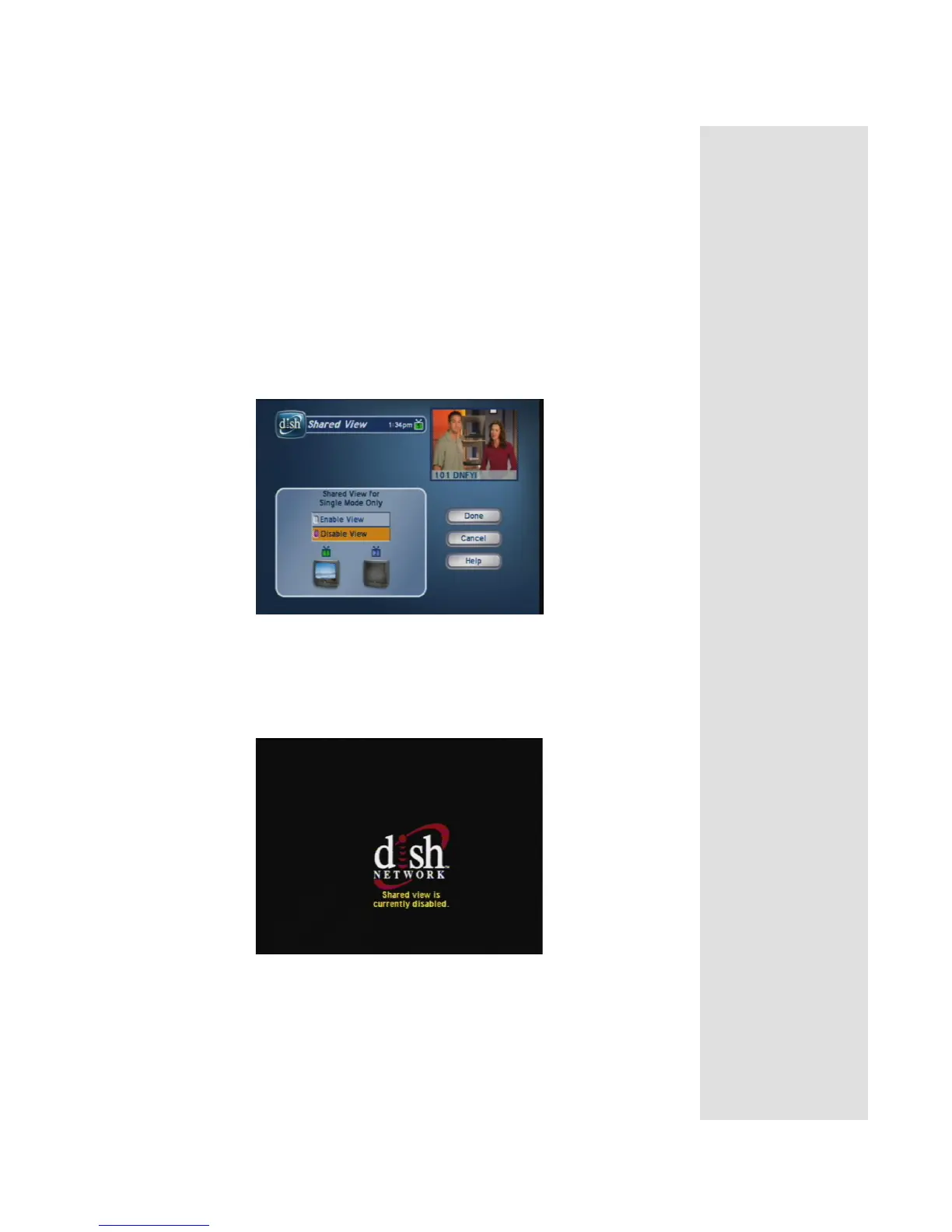
2. Press MENU-6-2 to open the
Shared View screen. This screen is used in
Single Mode only.
3. Select
Enable View.
Note: If you do not want to display programming on any other TV besides
TV1 and you do not want Remote Control 2 to control the receiver, select
Disable View. The following screen is displayed on remote TVs when
Shared View is disabled:
4. Select
Done. All of the TVs connected to the satellite receiver are
displaying the same program.



 To Next Page