Need help?
Do you have a question about the EchoStar HDT-610R and is the answer not in the manual?
Instructions for safe installation of the receiver and power adapter.
Guidelines to prevent the device from overheating.
General safety advice for handling the device and its components.
Instructions for cleaning and maintaining the device.
Guidelines for the proper disposal of the equipment.
Details on unboxing the HDT-610R and its accessories.
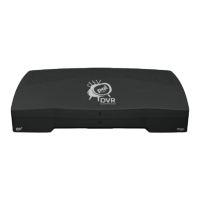
Overview of the unit's physical features and connection ports.
Description of the front panel controls and indicators.
Description of the rear panel ports and connections.
Explanation of the remote control layout and functions.
Information about the Freeview service and channels.
Lists the specific items included in the HDT-610R box.
Identifies the physical features and connection ports of the unit.
Detailed description of the front panel controls and indicators.
Detailed description of the rear panel ports and connections.
Explains the functions of each button on the remote control.
Step-by-step guide for replacing remote control batteries.
Illustrates how to connect the device to various components.
Instructions on how to connect the device to a television.
Instructions on how to connect the device to a power source.
Instructions for connecting the device to the internet.
Guide to the initial setup process after powering on the device.
Guide to setting a PIN for parental controls or content restriction.
How the device scans for available TV and radio channels.
Guide to selecting the correct geographical region for reception.
How to begin watching TV after initial setup completion.
Instructions for programming the remote to control your TV.
Methods for changing TV channels using the remote.
How to adjust volume and mute the audio output.
Accessing audio options via the remote control.
Procedure to mute and unmute the audio.
How to change the sound level using the remote.
Details about the on-screen information banner displayed during channel changes.
How to enable and select subtitle languages.
How to access teletext and interactive services.
Accessing catch-up TV services like BBC iPlayer.
Accessing on-demand content and services via the internet.
How to cancel a live or scheduled recording.
Instructions for recording entire TV series.
Navigating the main menu and its sub-sections.
Detailed guide on using the programme guide features.
How to set and manage programme reminders.
How to use coloured buttons to navigate programme information.
Creating and managing custom channel lists.
Steps to add or remove channels from a favourites list.
How to change the name of a favourites list.
Overview of the library views: Recordings, Scheduled, Daily.
How to play back content from the library.
Options for organizing library content.
How to delete items from the library.
Managing recording status, names, and PIN protection.
How to rename individual recorded programmes.
Viewing a list of upcoming recordings.
How to remove a pending recording timer.
Accessing the history of recording events and issues.
How to change or reschedule existing timer events.
How to clear the recorded schedule history.
Information on future Smart TV services and applications.
Setting language preferences for subtitles, audio, and data.
Configuring display, audio outputs, and library settings.
Setting up PINs for content restriction and parental guidance.
Adjusting text appearance in menus.
Configuring internet and network connection settings.
Configuring power saving modes and inactivity standby.
Displaying software version and technical details.
Options for scanning channels manually or automatically.
Restoring the device to its original factory settings.
Methods for updating the HDT-610R software.
Automatic updates via TV signal.
Automatic updates via internet connection.
Instructions for manual updates via USB.
Frequently Asked Questions to help troubleshoot issues.
Steps to resolve power issues.
Troubleshooting steps for no video output.
Troubleshooting steps for no audio output.
Tips for improving picture and sound quality.
Steps to fix remote control issues.
How to set up the remote for TV control.
Troubleshooting recording failures.
Troubleshooting internet-dependent service issues.
Troubleshooting for on-demand service connectivity.
Steps for issues with channel scanning.
Contact details for technical assistance.
Control codes for ACCENT TVs.
Control codes for LG TVs.
Control codes for SAMSUNG TVs.
Control codes for SONY TVs.
Explanation of common safety and compliance symbols.
Explanation of icons used in programme guides and info bars.
Explanation of additional icons related to programme status.


 To Next Page
 General