37
Press the PREVIOUS key to access the Lo Shape parameter. Chose the “L-R 24” option, i.e. Linkwitz-
Riley filter with 24 dB/oct slope using the encoder wheel or by pressing the ? and ? keys.
OUT 3&4 Mid
Lo Shape L-R 24
Press PREVIOUS again, so that the screen where the lower cut-off frequency can be adjusted, shows
up. Turn the encoder or use the ? and ? keys and adjust 164Hz.
OUT 3&4 Mid
Hi pass 164Hz
Press the PREVIOUS key to access the Hi Shape parameter. Chose the “L-R 24” option, i.e.
Linkwitz-Riley filter with 24 dB/oct slope using the encoder wheel or by pressing the ? and ? keys.
OUT 3&4 Mid
Hi Shape L-R 24
Press PREVIOUS again, so that the screen where the upper cut-off frequency can be adjusted, shows
up. Turn the encoder or use the ? and ? keys and adjust 1,68kHz.
OUT 3&4 Mid
Hi pass 1.68kHz
On the next press of the PREVIUOS key, the screens referring to the equalization appear. As no
equalization should be applied to this band, exit the configuration of the outputs 3 and 4 by pressing the
encoder wheel, giving access to the outputs 5 and 6.
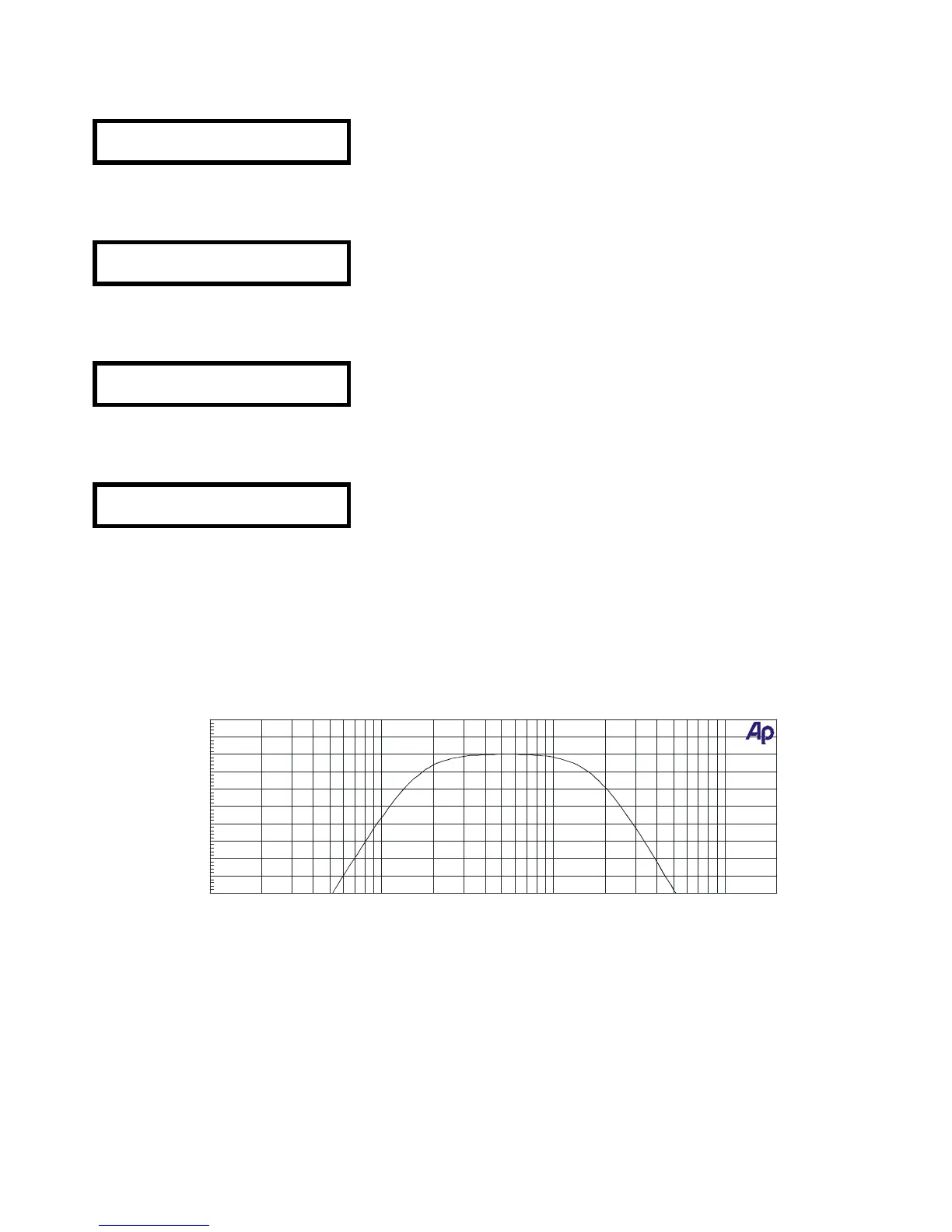
The parameters used to set up the outputs 3 and 4 give place to following frequency response curve,
corresponding to the mid frequency way.
Let’s now adjust the parameters of outputs 5 and 6, which are assigned to the high frequency way in our
system. The adjustment procedure for these outputs is identical to the previously explained one for
outputs 1/2 and 3/4.


 To Next Page
 Loading...