39
Press the PREVIOUS key to adjust the centre frequency of the filter.
OUT 5&6 High
Eq1S Fq 14.9kHz
Pressing PREVIOUS again, adjust now the amount of EQ boost. Set it to +5dB.
OUT 5&6 High
Eq1S +- +5dB
The next screen that appears refers to the bandwidth (Wd) of the EQ filter. Leave the value at the
default setting, i.e. 0,3 octaves.
OUT 5&6 High
Eq1S Wd 0.3Oct
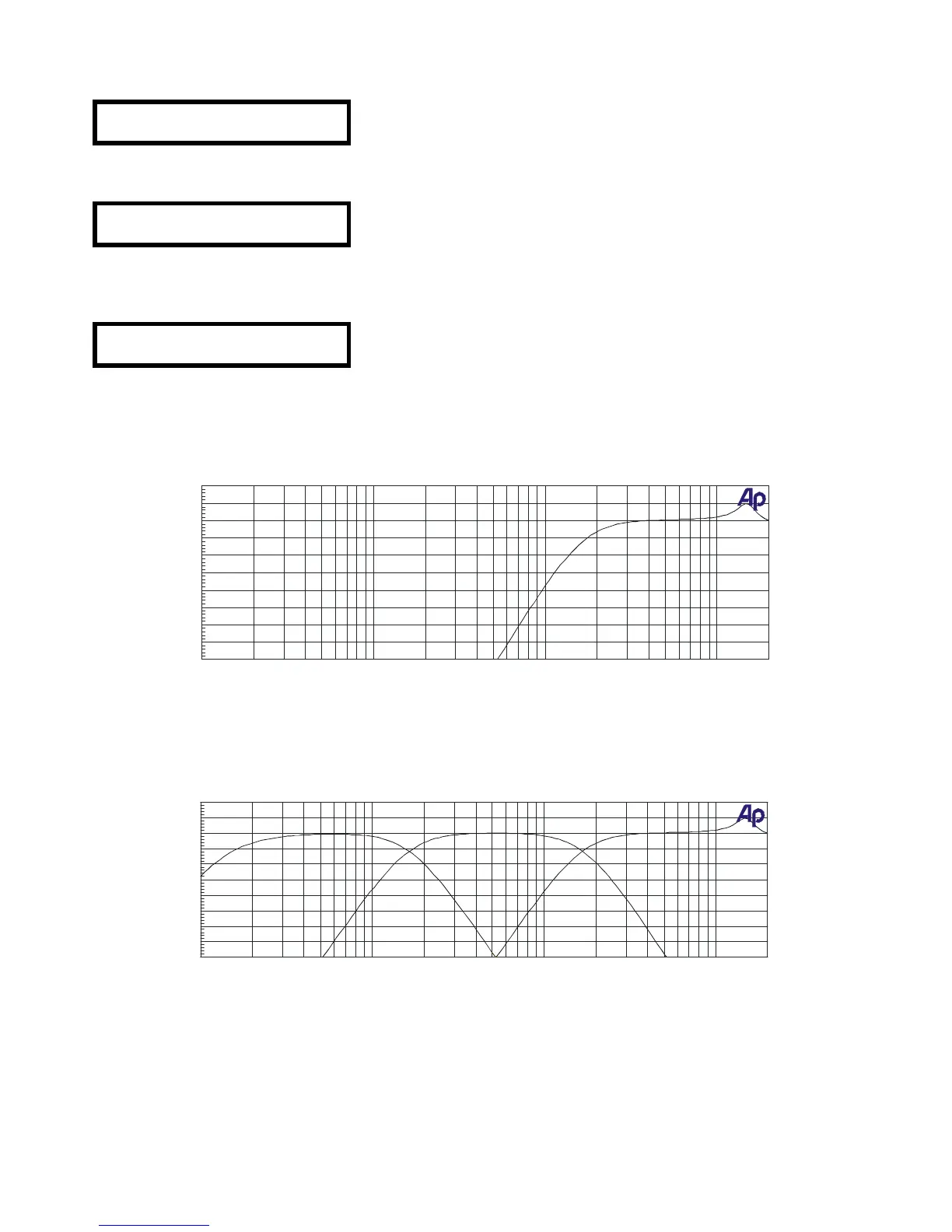
The parameters used to set up the outputs 5 and 6 give place to following frequency response curve,
corresponding to the high frequency way.
Once all three outputs have been configured, the frequency response curve of the DP300 has following
appearance:
After this procedure, a stereo 3 way system with filters for low, mid and high frequencies has been set
up.



 To Next Page