20
CONFIG MENU – PRESET
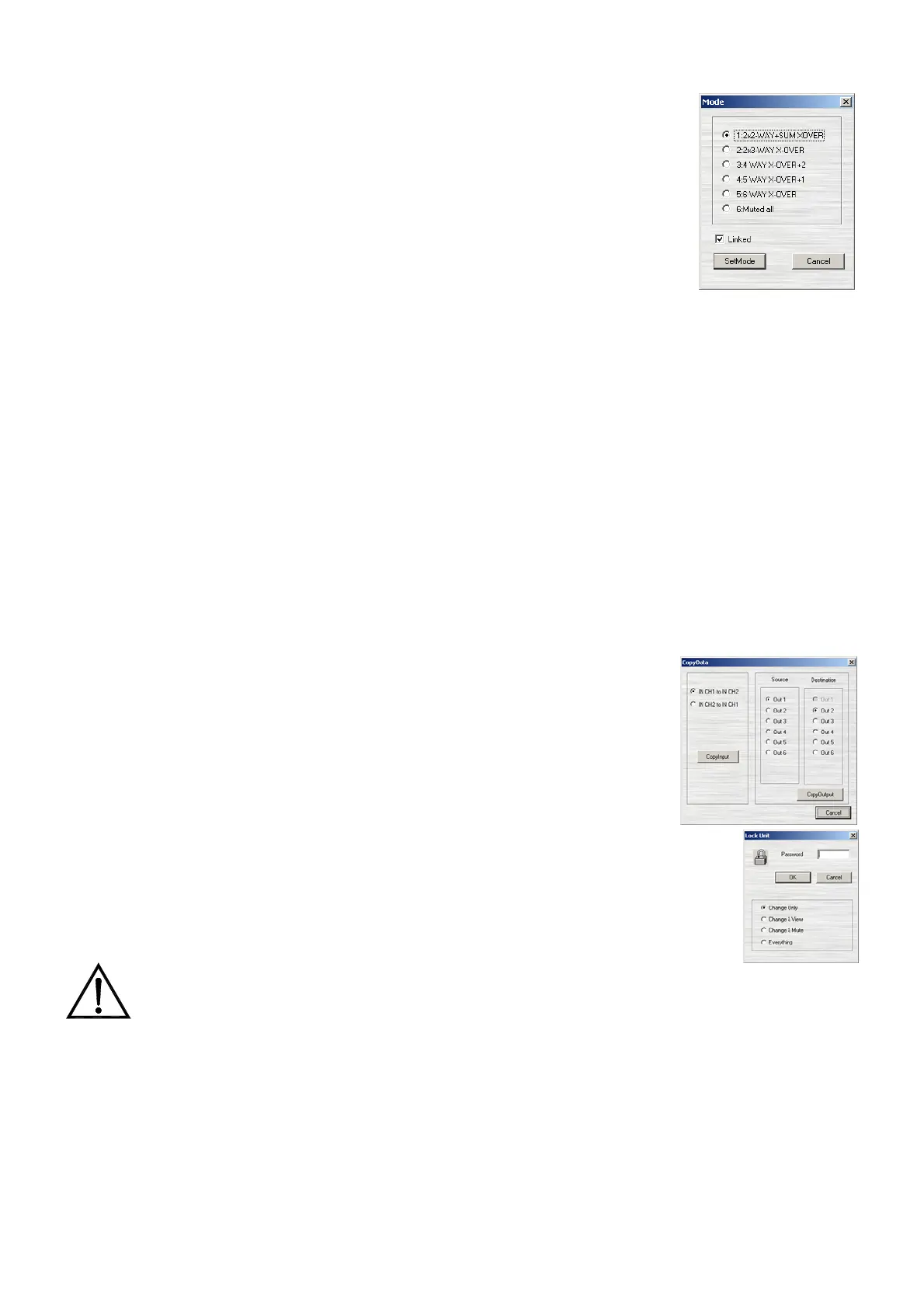
This option allows you to choose the operating mode (preset) for the
DP400. See section 6.1 for further information about the available operating
modes.
The stereo operating modes (numbers 1 and 2) include the possibility of
working in stereo link. With a stereo link, all of the parameters modified in one
channel (input or output) are automatically copied and updated in another
associated channel.
The following parameters are not copied, even if the stereo link operating
mode is active:
Output selected to go with a particular input
MUTE status of an input or output
Phase invert status of an output
E.g.: When the 2x3 WAY CROSSOVER is activated with the stereo link option, the inputs and
output channels will automatically be grouped as follows:
Inputs: IN CH1&IN CH2
Outputs (channels):
Low: Out1&Out4
Mid: Out2&Out5
High: Out3&Out6
CONFIG MENU – COPY DATA
With the copy data option, you can copy all the parameters from one
input to another or from one output or channel to another.
This option is especially useful in mono operating modes where each of
the outputs should have the same parameters as all the others.
CONFIG MENU – LOCK/UNLOCK
Selecting this option calls up a window that allows you to select the lock type
and the associated password. See section 6.3 for more information about the various
safety lock types offered by the DP400.
After you have chosen the desired safety lock type and entered a password, the
values that cannot be edited or seen will be shown in yellow in DP:lab2.
WARNING: it is very important to keep your password in a safe location. It cannot be
recovered if forgotten or lost.



 To Next Page