Mounting Bracket Options .5
Mounting Bracket Options
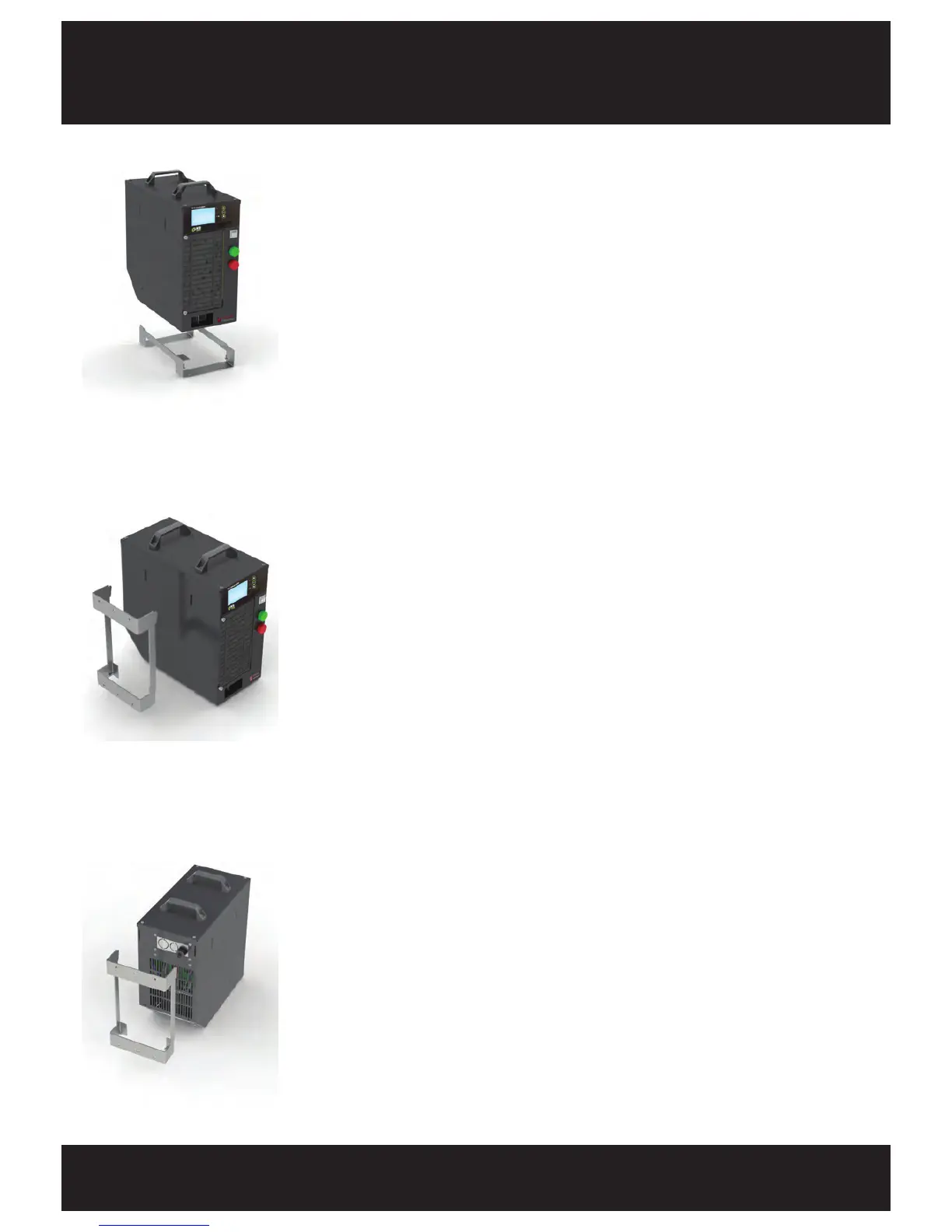
Rear Mount
1. Fix the mounting bracket to the wall using a type
of fastener that suits the wall material.
2. Slide the rear of the FS3 onto the mounting bracket.
3.
With 2x M5x8 hex bolts (included with the mounting
bracket) secure the front of the mounting bracket to
the FS3.
4. When fitting the battery cable ensure the locking
screw is installed.
Base Mount
1. Fix the mounting bracket to a bench using a type
of fastener that suits the bench material.
2. Remove the 2x front case feet.
3. Slide the base of the FS3 onto the mounting bracket.
4. With 2x M5x8 hex bolts (included with the mounting
bracket) secure the front of the mounting bracket to
the FS3.
5. When fitting the battery cable ensure the locking
screw is installed.
Side Mount
1. Fix the mounting bracket to the wall using a type
of fastener that suits the wall material.
2. Slide the side of the FS3 onto the mounting bracket.
3.
With 2x M5x8 hex bolts (included with the mounting
bracket) secure the front of the mounting bracket to
the FS3.
4. When fitting the battery cable ensure the locking
screw is installed.


 To Next Page