Premier Tech Aqua 22/32 Polyethylene Ecoflo
®
Coco Filter– Installation Guide CAN/USA
339975 Rev. 5.0
6.5 (Optional) On site pump tree assembly with screen filter for the Ecoflo
®
Coco Polyethylene
models 2.8, 3.4, 4.1, 5.7 and 7.3 series.
For pressurized installation, it is the responsibility of the installer to supply the screen filter. Depending of the model
you bought, the screen filter may be supply by Premier Tech Aqua (confirm with your regional supervisor if this part
is included or not in your package).
A screen filter shall be added to the pump tree when the biofilter is installed before a pressurized bed.
Follow the instructions below:
1. Shut-down the power to the Ecoflo
®
coco Filter to prevent the pump for being activated or do the modification
before wiring the pump. Remove the pump’s assembly from the pumping vault.
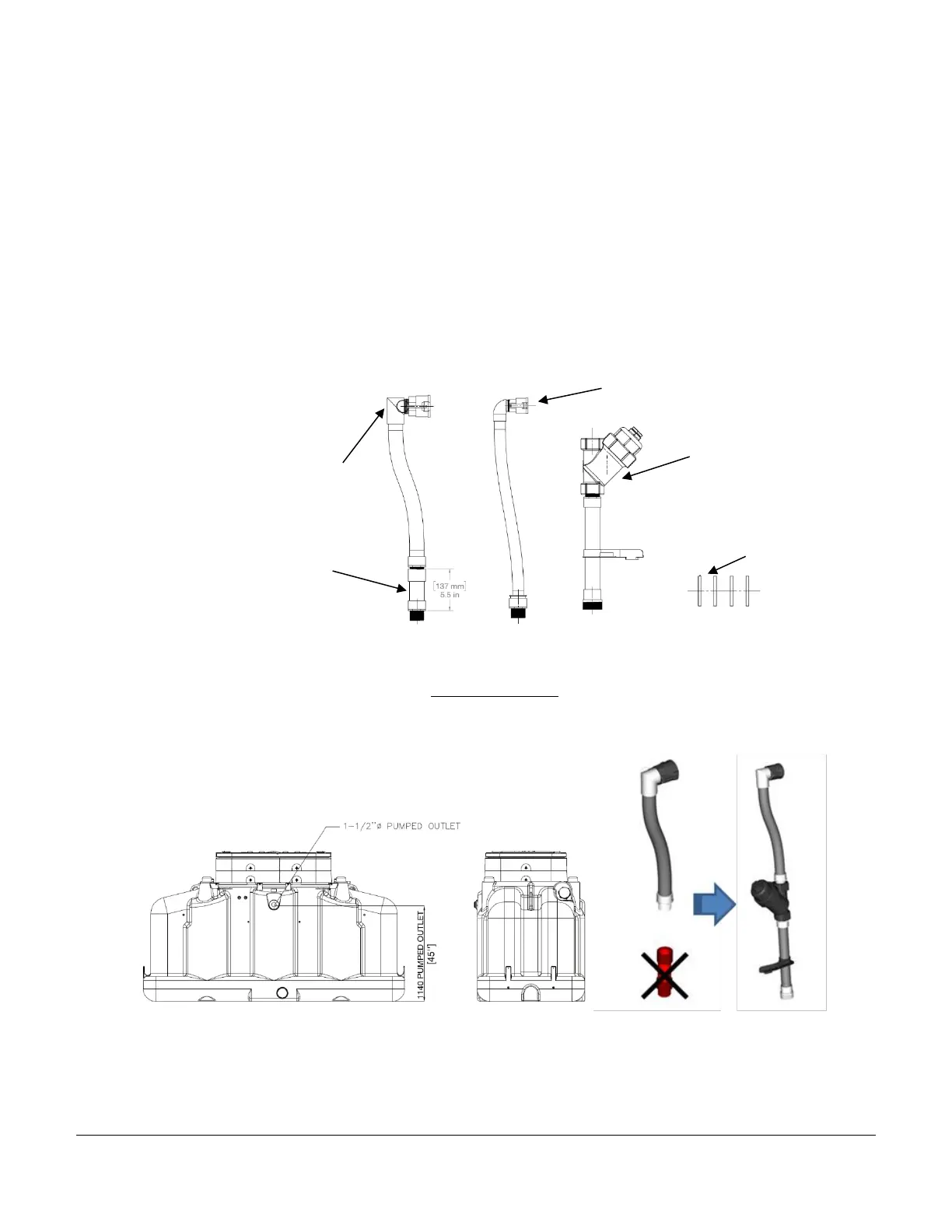
2. When provided by PT, you’ll find the “retrofit kit screen filter” with the riser. Remove all the components from
the packaging. You’ll find three major components: a screen filter, a flexible 1” outlet adapter, a flexible 1-½”
outlet adapter and four ty-rap as shown on the image below.
3. Assemble the screen filter components as explained below.
• For the Ecoflo
®
Coco Filters Polyethylene 2.8, 3.4 and 4.1 models with an outlet adapter of 1½", use the
screen filter and the flexible outlet adapter with 1½" diameter.
• Remove the extension section from the flexible outlet adapter, shown in red below, and screw the two
sections together.


 To Next Page
 Loading...