27
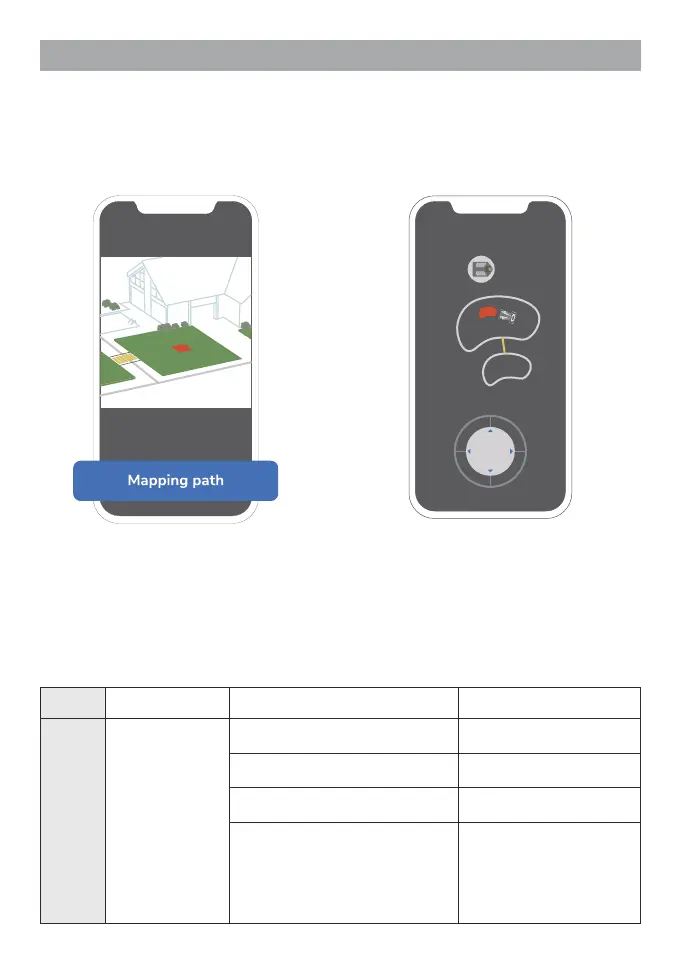
Creating Paths
1. Select "Mapping path" on the guide
page.
2. Draw a path between two or more working
areas by using the direction keys.
Make sure you have created more than two working areas (see steps in working area).
LED Indicators
Light Color Status Meaning
Head
light
Blue
Dark blue as the base color, bright
blue ows from bottom to top
Power on
Dark blue as the base color, bright
blue ows from top to bottom
Power off
Pulses for 1s and then fades away
from back to front
Idle state
A small section of blue stays solid
in the middle (stationary)
A small section of blue stays solid
in the front (moves forward)
A small section of blue stays solid
in the back (moves backward)
Manual control



 To Next Page