30
Device sharing
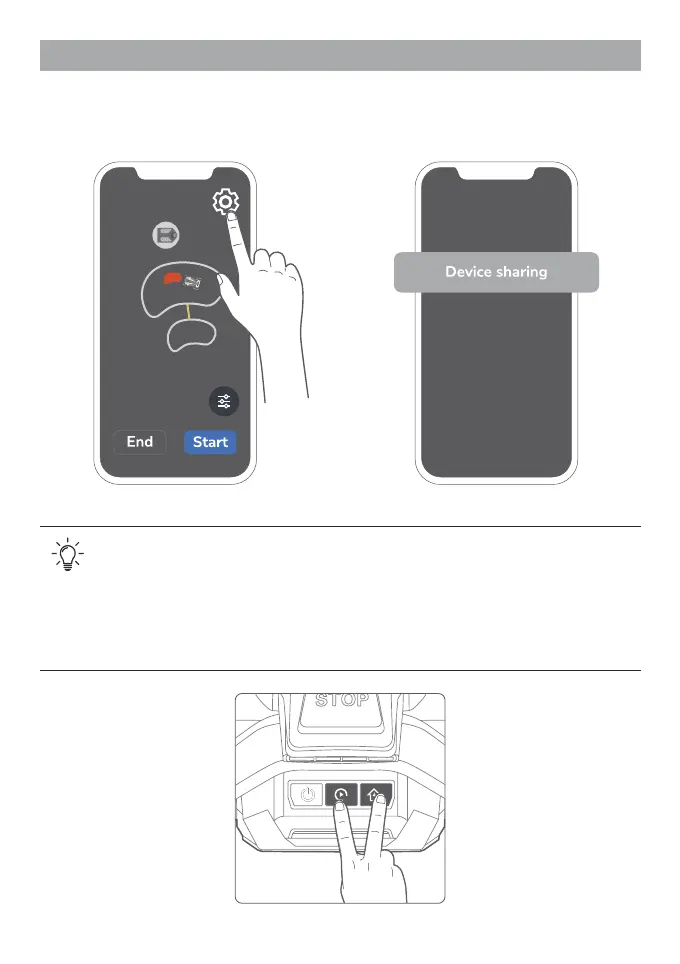
If you need to share this mower with someone else, please follow the steps below:
1. Tap the icon in the upper right. 2. Select "Device sharing".
1. If the mower is bonded with an account, then the new operators cannot connect to
the mower unless the original account shares the device.
2. There are several ways to share or unlink:
- Device sharing
- Unlink the mower (see the following section "Unlink")
- Press and hold "Start/Pause" and "Recharge" buttons simultaneously for about
20 seconds.


 To Next Page