a power outage occurs and appliances can no longer use power from the grid,
the power station automatically transfers its battery power for use by
connected appliances.
Basic Setup
1.
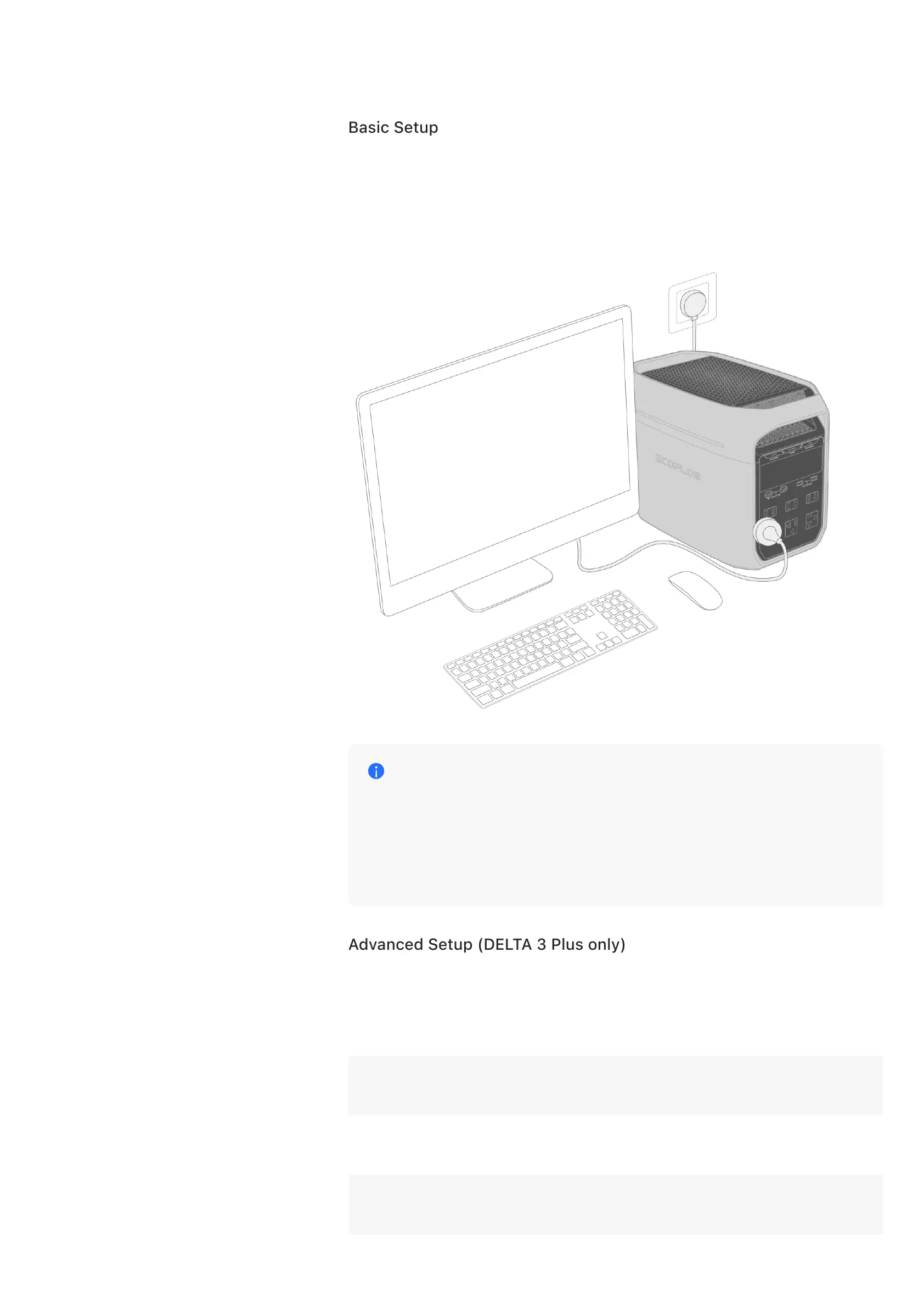
Connect the power station to a wall outlet to access grid power.
2.
Connect any appliances to this power station so the power station can
provide them with power to operate during a power outage.
Notice
In this setup, the power station requires more power input from the
grid than it provides to any connected loads so it can use surplus
power to charge and maintain its batteries. Otherwise, the power
station is unable to function as a UPS since its batteries won’t have a
charge.
Advanced Setup (DELTA 3 Plus only)
The EcoFlow PC software Power manager allows you to monitor the power
station’s operating status and configure UPS settings on the PC.
Supported
system
Supports macOS, Windows, Linux systems. Please check the
specific version in [Download Center].
Communication
method
Supports wired communication via the power station's USB-C
port.
Communication
method
Use a USB data cable (compatible with USB-C port) that meets
USB 2.0 protocol.










 To Next Page