5
EN
Icon Name Status
Remaining battery
percentage
Charging: rotates clockwise
Fully charged: displays 100%
0% battery: icon ashes
Check "Troubleshooting" for details.
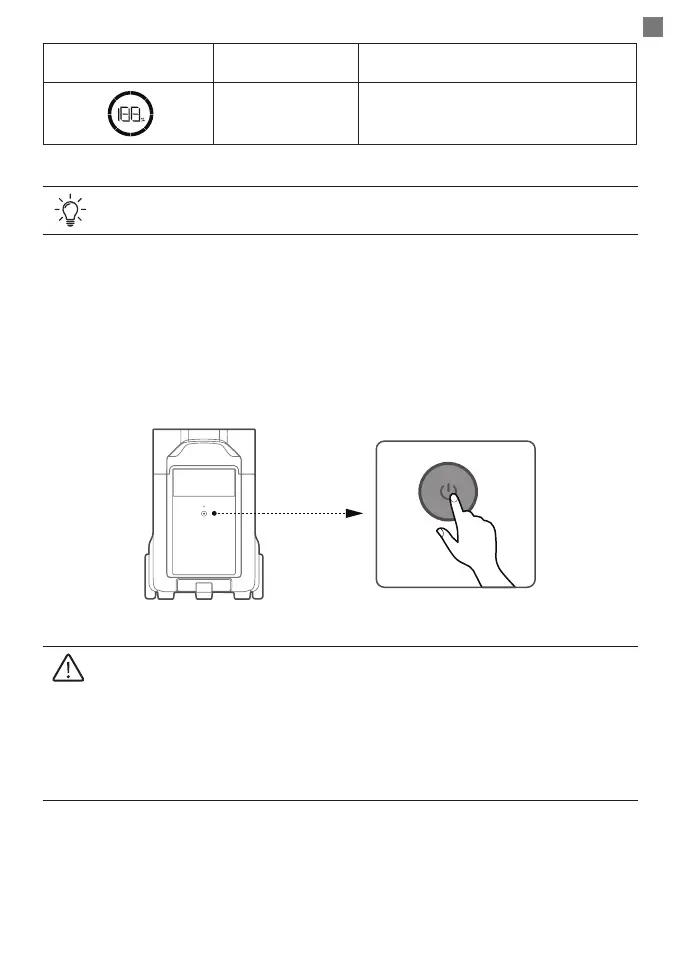
Power On/Off
Press the power button to turn on the product, and then the LCD screen lights up with the
power indicator being breathing white; press and hold the power button to turn off the
product.
1. With the product turned on, press the power button once to turn off the LCD
screen.
2. If the product is not used for 5 minutes, it will enter sleep mode with the LCD
screen shut off. When you start to use the product again, the LCD screen will turn
on automatically.
3. The product defaults to 2 hours of standby time. With the output power buttons
turned off and no other load for 2 hours, the product will shut off automatically.
The standby duration can be set in the app.


 To Next Page