12
Installation of new rmware
There are 2 ways of starting the installation of the new rmware on the Ident-Ex,
which will be explained in the following 2 sections. The new rmware has to be
available and a Bluetooth connection in SPP modus has to be set up before a
new rmware can be installed on the Ident-Ex (SPP and Bluetooth LED have to
be on).
By activating the Trigger button
To start the installation of new rmware on the Ident-Ex, the Trigger button can
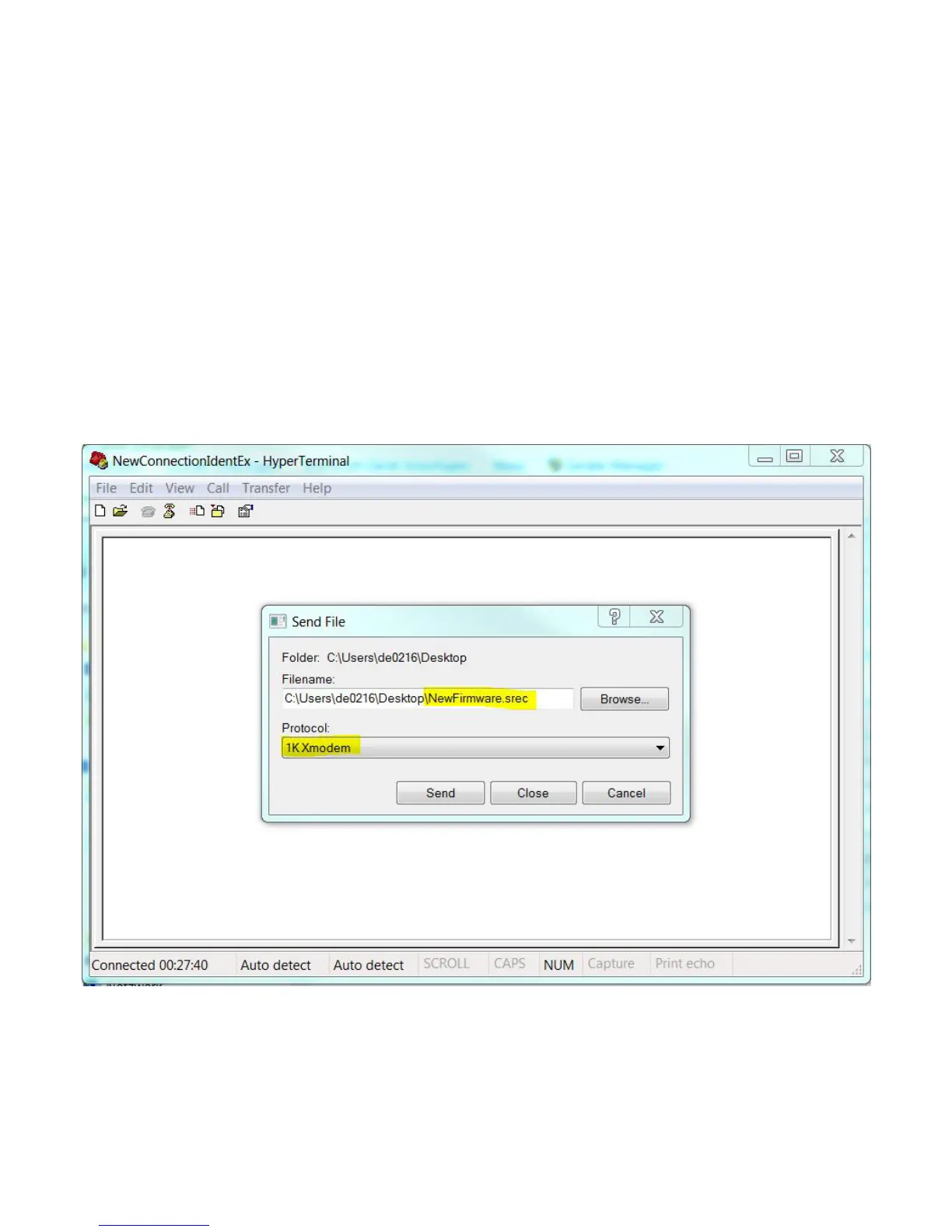
be used. At rst however the new le with the rmware has to be selected. The
le with the rmware can be chosen by Transfer -> Send le in the HyperTermi-
nal. A new screen window appears in which the le can be selected. Select le
through Browse. Now the protocol has to be selected, 1K Xmodem.


 To Next Page