18
If the mobile device hasn’t been paired with the Ident-Ex before, a new screen
window will appear which will ask if the devices should be coupled. After conr-
ming the coupling of the devices, the Bluetooth connection will be set up. If the
respective Bluetooth name doesn’t appear in the list, use the function “Scan for
devices” to search for other devices.
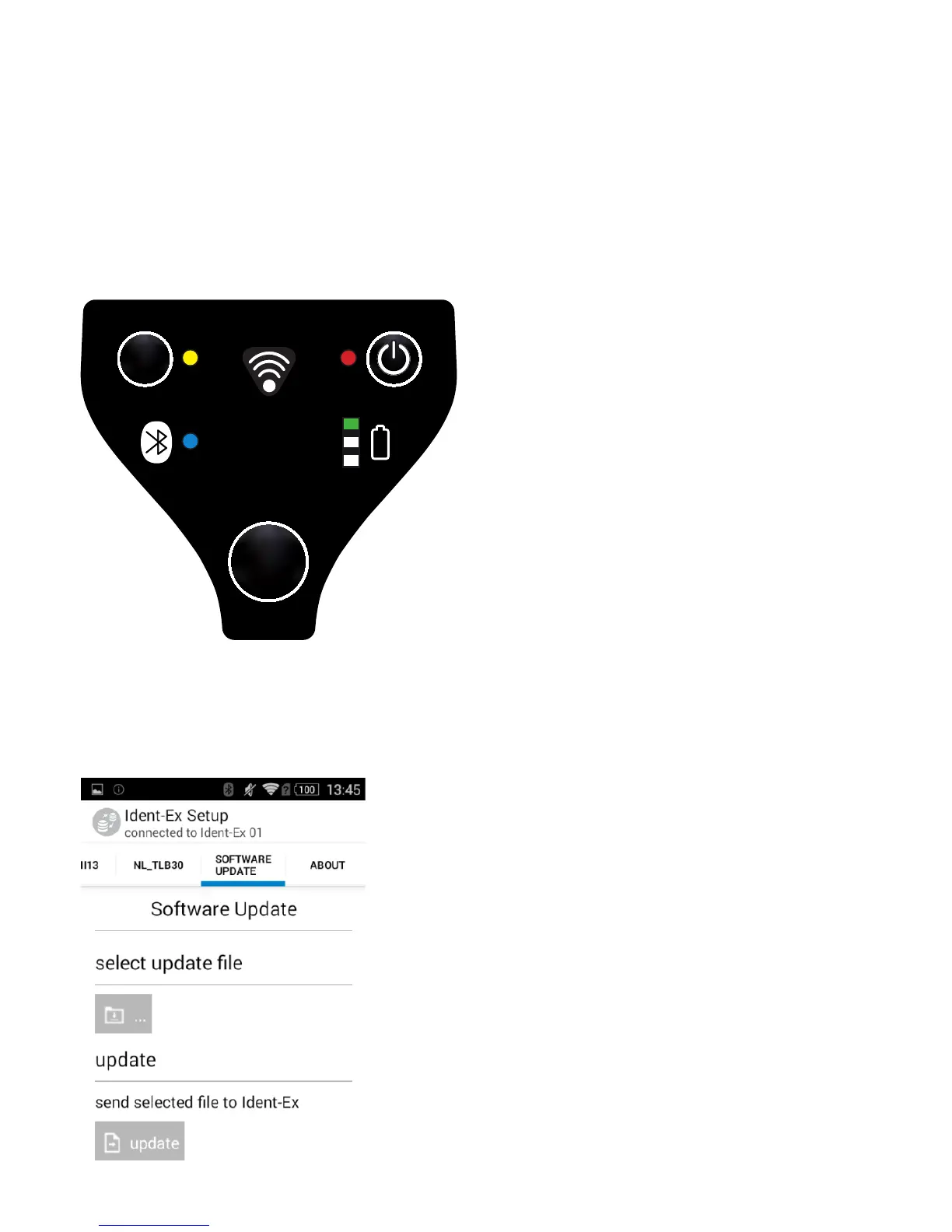
If the Bluetooth connection was successful, the SPP and Bluetooth LED will go
on which means that the rmware can be installed.
Installation of new rmware
By pressing the „Software Update“ button, the le which contains the rmware
of the Ident-Ex can be selected. The new rmware has to be available.


 To Next Page