20
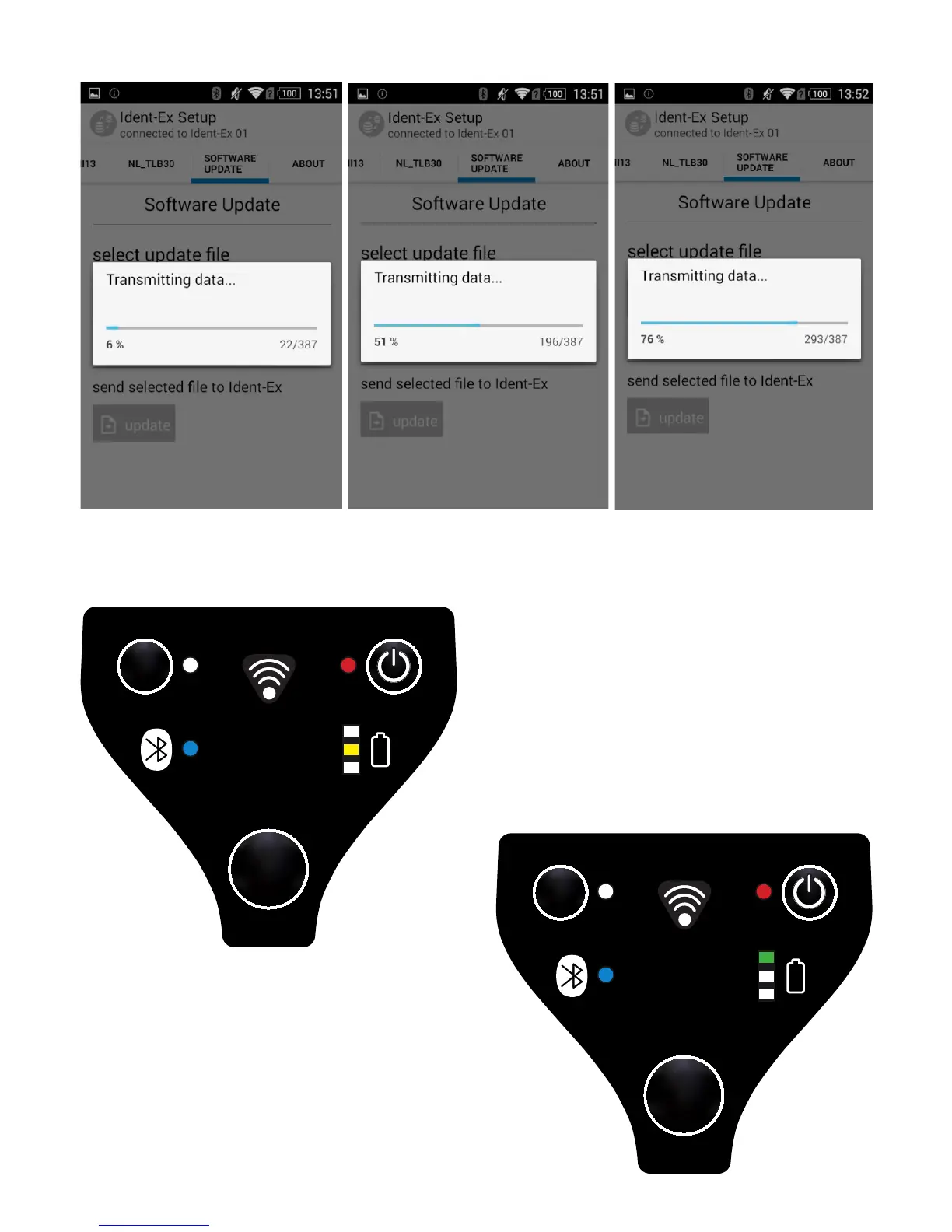
A screen window appears which shows the status of the transfer.
While transferring the rmware data, the yellow LED of the Ident-Ex will blink
until the transfer is done or a failure occurs.
If the transfer was successful, the green
LED of the battery indicator of the
Ident-Ex will go on shortly.


 To Next Page