ECOMAT2000 | 27EN
3) Thermostat knob
By turning the thermostat control button, you can steplessly select the temperature you feel
comfortable with on the temperature scale, which is then automatically kept constant and regulated by
the electronic temperature control.
• When the temperature is reached, the heating is switched o. The fan continues to run for approx.
15 minutes. When the room temperature drops, the heating switches back on automatically.
• On the position with the ice crystal symbol the frost guard function is selected. (The device
switches on at a temperature of approx. 3 °C).
• The device can be operated continuously during the frost period. Check the lter insert regularly
for dirt and replace it if necessary.
• With the ventilation symbol you select the fresh air blower (without heating function) to create a
pleasant room climate.
CLASSIC High Seas version
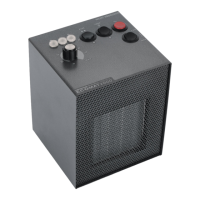
The switches are protected against splash water by waterproof silicone caps.
When operating the switches, make sure that the desired switching operation has been carried out by
clicking into place.
With this optional version, the electronic circuit board inside the device is also provided with a silicone
coating and is therefore protected against oxidation in salty or humid air.


 To Next Page