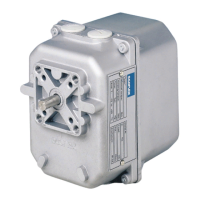
AR2…SE.. Instructions 8 Form 120127
8.2 CHECKS
After installation and adjustment of the control lever system check that switch and
wiring of the circuit are correct.
Check that the AR2...E rotary gear motor duly controls the device it is meant for.
Check that the AR2...E gear motor runs in accordance with the given manual
input.
Check that the AR2...E gear motor, the lever system and the controlled device are
mechanically connected in a correct and safe way.
Check that the levers’ movements occur smoothly without jamming or blocking
due to other objects.
9 REPLACEMENT
In case replacement of the AR2...E gear motor is necessary, proceed as follows:
- disconnect power supply from the AR2...E motor
- remove the gear motor’s cover
- disconnect electric wiring
- remove the levers between the AR2...E gear motor and the controlled device
- install the new gear motor proceeding as per instructions given in the foregoing
chapters
10 ELECTRONIC CONFIGURATION
The digital electronic board mounted on AR2 gear actuator enable to set various
features / options, like rotation direction, resolution, type of input control signal and
impedance.
WARNING For each model there is a specific electronic board, with its own
specification in hardware and software.
The desired configuration can be obtained by setting dip-switch of the electronic
board on the right or left hand side, according to the below indicated schemes.
Dip-switches are located under the paperboard panel over the horizontal board.
Lift the rectangular paperboard to access the dip-switches



 To Next Page