15.
2. DISPLAY UNIT
2.1 LEFT HANDLEBAR
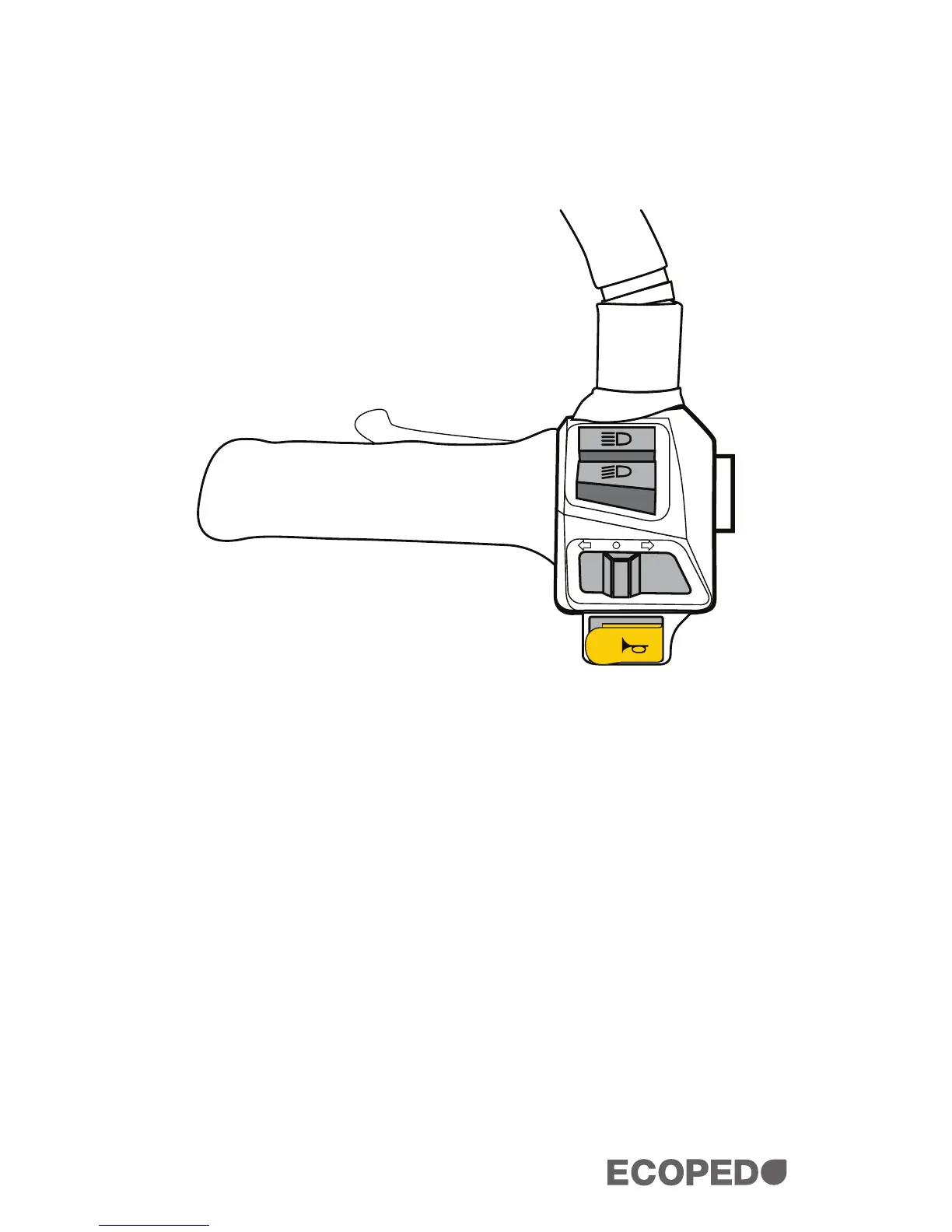
Make sure to familiarize yourself with the controls. Your left handlebar
has the following controls:
1. Left Brake Lever - Use for engaging or disengaging the rear
brake.
2. Left Grip
3. Intensity Switch - By toggling between the two modes, you
can increase or decrease your headlight intensity.
4. Signal Switch - By sliding this switch to either side, you can
signal left or right, informing vehicles around you of where you
intend to turn.
5. Left Horn Switch
1
2
3
4
5


 To Next Page