22.
22.
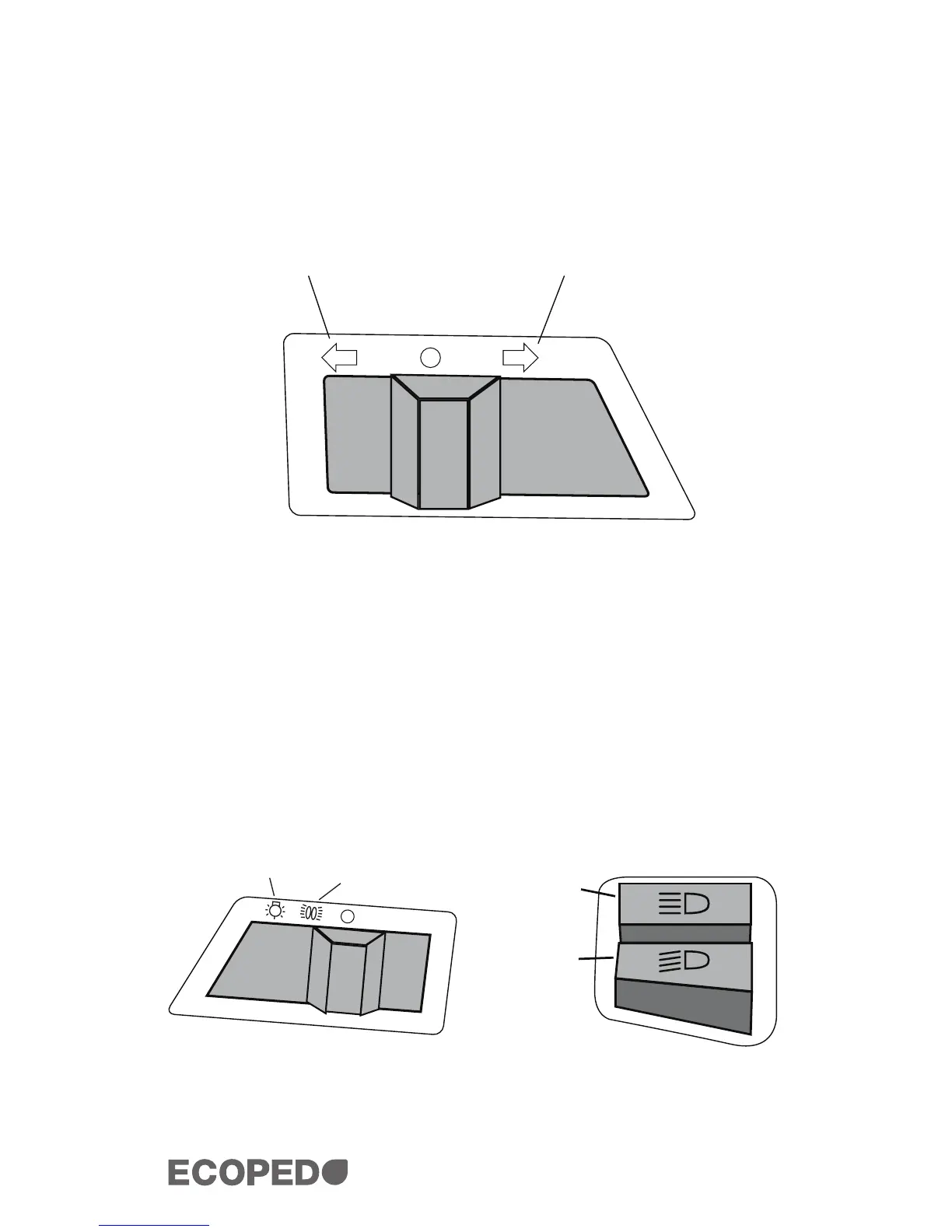
2.9.1 LEFT/RIGHT SIGNALS
The procedures below outline how to signal turns with your ECOPED.
1. Slide the switch to either the left or right. The switch will click
and then go back to its initial position.
2. To turn the signal off, press the switch down and it will click
back into its initial position.
2.9.2 HEADLIGHTS
To turn your headlights on, simply slide the headlight switch to the
appropriate position, as seen in the diagram below. The back light for
your instrument panel will turn on automatically.
2.9.3 HIGH & LOW BEAMS
To toggle between the high and low beams, push the switch to the ap-
propriate positions, as seen in the diagram below.
Left Right
All lights are
on
All lights are
on except
headlight
High
Low


 To Next Page