EasyManua.ls Logo

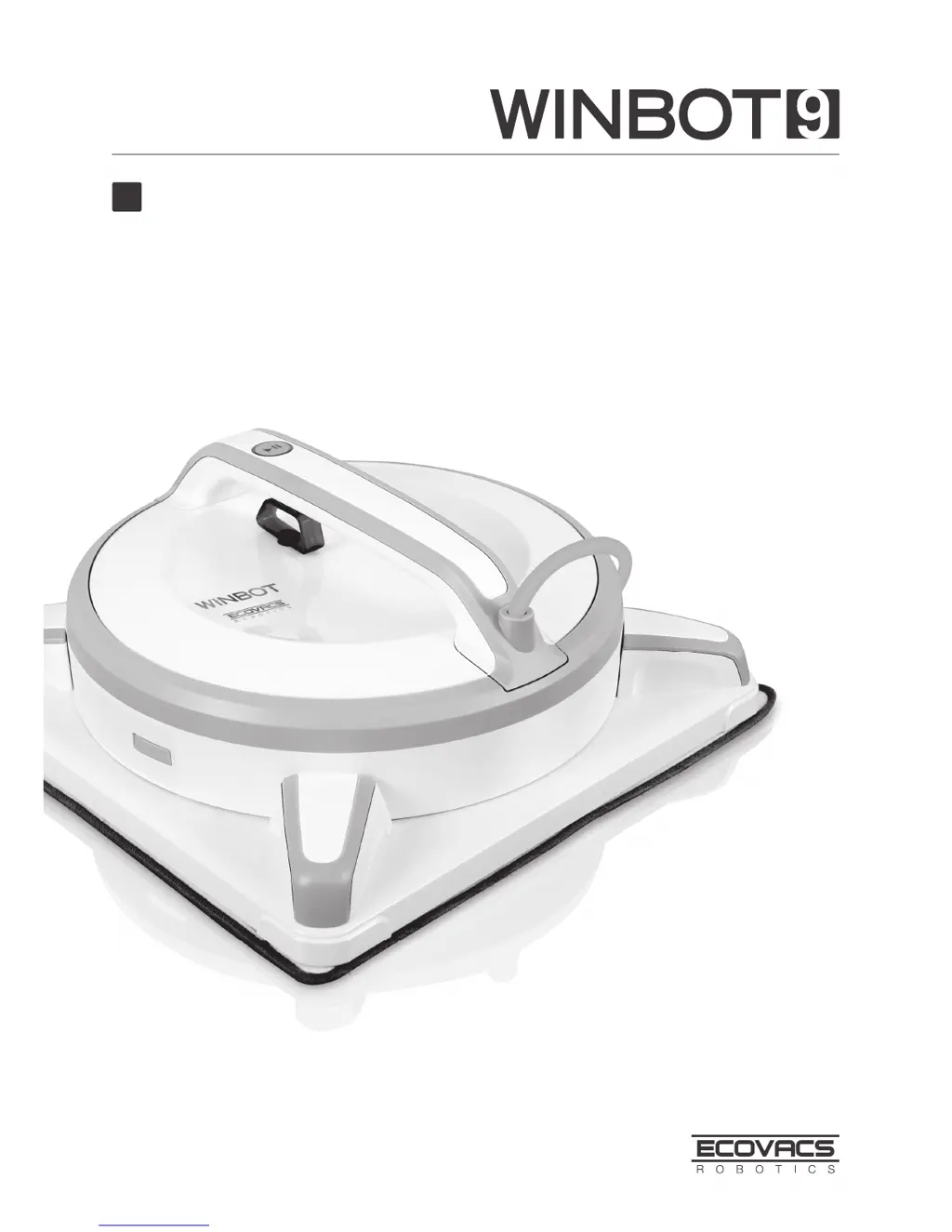
ECOVACS WINBOT 930 - User Manual

ECOVACS WINBOT 930
20 pages
Print Icon
To Next Page IconTo Next Page
Loading...
Instruction Manual
EN

Questions and Answers

  • K
    Kristen TranJul 31, 2025
    Why doesn't my ECOVACS WINBOT 930 Ultrasonic Jewelry Cleaner remote control work?
    • T
      Tony RobinsonJul 31, 2025
      There are several reasons why the remote control might not be working. It could be that the cleaner is currently running; pause it using the START/PAUSE button to enable other remote functions. Another possibility is that the remote isn't paired; to pair it, power on the cleaner and simultaneously press and hold the button on both the cleaner and the remote until you hear a beep. Finally, check the batteries; they may need to be installed or replaced.
  • C
    Christopher ThompsonAug 4, 2025
    What to do if ECOVACS WINBOT 930 Ultrasonic Jewelry Cleaner status light is red?
    • S
      Steven HaleAug 4, 2025
      A red status light indicates a problem. First, ensure the cleaner is properly connected to the power adapter and plugged into the receptacle. Then, press the START/PAUSE button. If there was a power failure, the cleaner should return to its starting point automatically. If not, use the remote to guide it to a reachable spot, turn it off, and then back on. Other possible causes include stubborn stains (clean them first), a dirty or damaged cupule (clean or replace it), a cleaning pad not correctly attached (reattach it), or a dirty cleaning pad (replace it).
  • V
    Vickie HesterAug 9, 2025
    Why is the ECOVACS WINBOT 930 cleaning pad turning before reaching the edge?
    • A
      Andrew GarrisonAug 9, 2025
      If the cleaning pad turns before reaching the edge, try spraying additional cleaning solution on the pad and restarting the cleaning cycle. If the problem continues, further assistance is needed.
  • J
    Jennifer SmithAug 13, 2025
    How to fix ECOVACS WINBOT 930 Ultrasonic Jewelry Cleaner flashing blue light?
    • A
      annarodriguezAug 13, 2025
      A flashing blue light indicates that the cleaner isn't getting enough suction. Try pressing it more firmly against the window. Also, check the cupule for debris and clean it with the provided cloth. If the glass is very dirty, clean a small area first before placing the cleaner.
  • E
    Ellen PetersonAug 17, 2025
    Why ECOVACS WINBOT 930 is not cleaning dirty windows?
    • R
      Ryan HughesAug 17, 2025
      The cleaner is designed for regular maintenance cleaning, not heavy-duty or initial cleaning of very dirty windows. Clean the window by hand first, and then use the cleaner for regular upkeep.
  • T
    Todd DavisAug 21, 2025
    What does it mean if ECOVACS Ultrasonic Jewelry Cleaner status light is red and the edge detection sensor malfunction?
    • P
      pfoxAug 21, 2025
      If the status light is red and the edge detection sensor is malfunctioning, clean the four edge detection sensors. If the problem continues, more advanced troubleshooting is needed.
  • P
    Patrick LeeAug 26, 2025
    What to do if ECOVACS WINBOT 930 Ultrasonic Jewelry Cleaner status light is red after pressing the reset button?
    • K
      Kim McdonaldAug 26, 2025
      If the status light is red even after pressing the reset button, there may be a persistent issue. Check for stubborn stains on the window and clean them. Also, inspect the cupule for dirt or damage; clean or replace it if necessary. If the issue remains, further assistance is needed.

Summary

Important Safety Instructions

Package Contents and Technical Specifications

Package Contents

Lists all items included in the WINBOT 9 package.

Specifications

Details the technical parameters of the WINBOT 9 robot and its accessories.

Product Diagram

Illustrates and labels the components of the WINBOT 9 robot and remote control.

Operating the Robot

Notes Before Cleaning

Provides essential guidelines and restrictions before operating the WINBOT 9.

Attach the Cleaning Pad

Step-by-step guide on how to properly attach the cleaning pad to the robot.

Assemble the Power Adapter

Instructions for connecting the power adapter to the WINBOT 9.

Install the Safety Tether

Details on how to install the safety tether and pod for secure operation.

Place the Safety Pod

Instructions on where and how to securely place the safety pod inside the window.

Spray Cleaning Solution

Guide on applying the correct cleaning solution to the cleaning pad.

Start

Steps to power on and initiate the cleaning process of the WINBOT 9.

Pause

How to temporarily stop and resume the WINBOT 9 cleaning operation.

Stop

Procedures for safely stopping and removing the WINBOT 9 after cleaning.

Maintenance

Cleaning Pad

Instructions for cleaning and maintaining the WINBOT 9 cleaning pad.

Cupule, Sensors, Squeegee, Corners

Guide for cleaning key components like cupule, sensors, squeegee, and corners.

Driving Treads

Instructions for inspecting and cleaning the WINBOT 9's driving treads.

Status Indicator Light and Sounds

Troubleshooting

ECOVACS WINBOT 930 Specifications

General IconGeneral
BrandECOVACS
ModelWINBOT 930
CategoryUltrasonic Jewelry Cleaner
LanguageEnglish

Related product manuals