6
3. Operating the Robot
3.1 Notes Before Cleaning
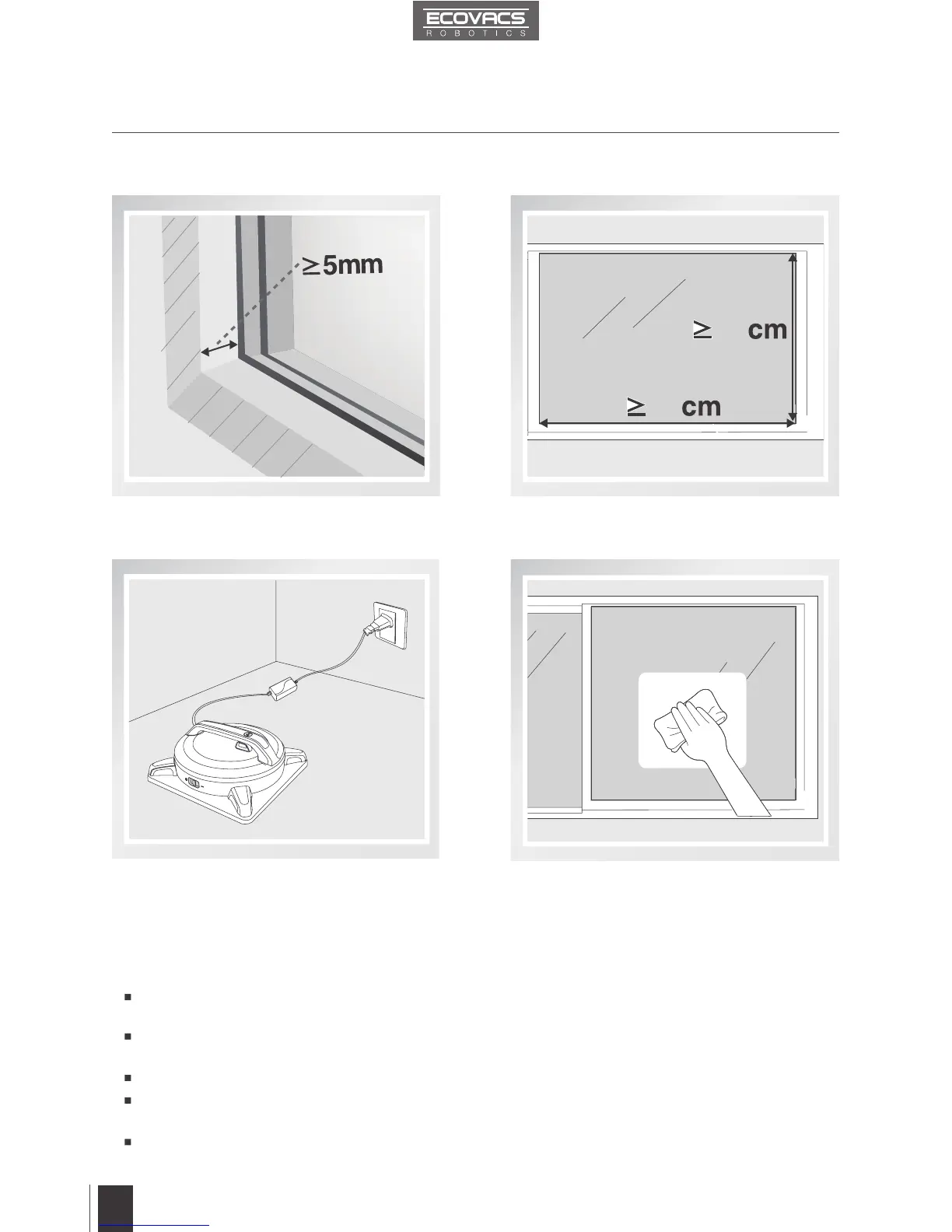
Do not use WINBOT 9 on a framed window
with frame smaller than 5mm (0.2").
If WINBOT 9’s Status Indicator Light
flashes GREEN after powering ON, the
Back-Up Battery requires charging. Keep
WINBOT 9 plugged in to charge the Back-
Up Battery until the Status Indicator Light
flashes BLUE. WINBOT 9 will not clean
until the Back-Up Battery is charged.
WINBOT 9 can be used to clean framed or
frameless glass, larger than 35cm x 60cm
(13.8’’ x 23.6’’).
If the window is fully covered with dirt, clean
a small area on the glass before use and
place WINBOT 9 there.
60
35
Please ensure there is a 15cm (5.9”) clearance between the glass and obstacles in the room
like curtains or furniture.
WINBOT 9 can clean horizontally mounted glass, or glass mounted at an angle, using the
Direction Control Buttons on the Remote Control.
Do not use WINBOT 9 upside down.
Do not use WINBOT9 on windows with an uneven surface, such as decaled, frosted, textured,
patterned, or coated glass.
WINBOT 9 should only be used with WINBOT Cleaning Solution. Using other cleaners signicantly
reduces WINBOT’s performance and can damage the robot.



 To Next Page