1009
https://www.altonindustries.com
info@altonindustries.com
>> Fill to the water
tank
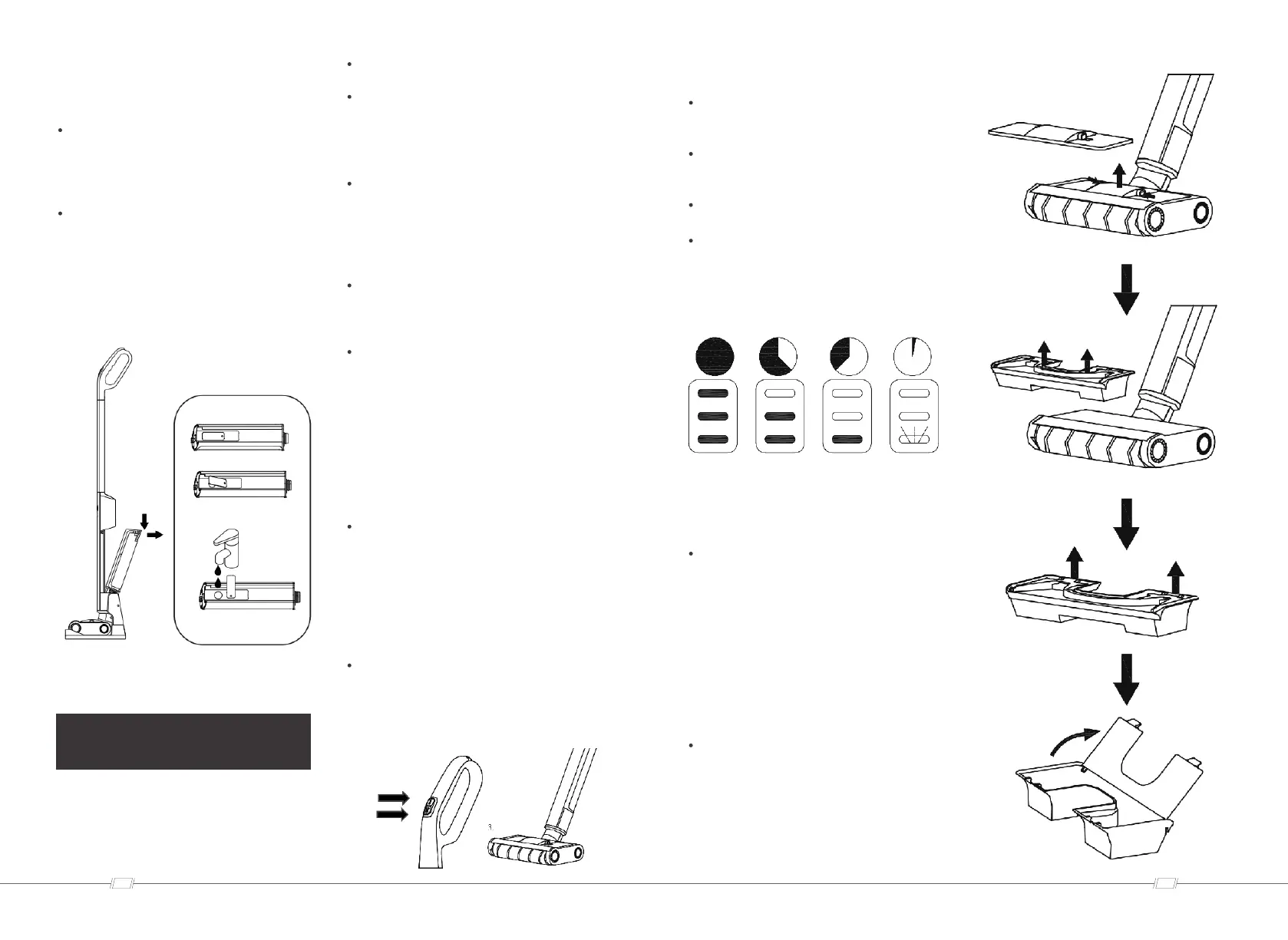
Place the machine on a level ground, keeping
the machine upright, grasp the handle with
one hand, and pull the water tank backward
with the other hand to remove it.
Open the inlet plug of the clean water tank and
rotate to one side, add cold or warm water (tap
water)to the hole. When filling, do not exceed
"full of water" , close the inlet, install the clear
water tank into the device, and the clear water
tank must be firmly fixed in the device.
OPEARTION
>> General operation
The device can only clean dust and liquids.
Before starting the operation, first clean the
ground. This will remove dust or loose
particles from the ground before starting wet
cleaning.
Before using the device, check the water
resistance of the ground in an inconspicuous
location. Do not clean water-sensitive floors,
such as untreated cork floor (moisture may
penetrate and damage the floor).
In order to avoid leaving footprints on the
freshly wiped ground, cleaning should be done
from the inside out.
The floor is cleaned by moving equipment
back and forth at a speed similar to use a
vacuum cleaner, and should not be too fast. If
the dirt is serious, slowly drag the device
across the floor. No pressure is required on
the device.
Note: As soon as the device is switched on,
the cleaning roller starts to rotate. To prevent
the device from being moved by itself, you
must hold the handle or place the machine on
the charging stand. Make sure that the water
purification tank is filled with water and the
sewage tank is installed in the equipment.
>> Set to work
Press the device switch (on/off) to start the
device, and then press the water spray button
to move the device back and forth until the
roller brush is fully wet.
1. On/Off
2. Water spray
>> Lithium battery life
3 LED lights are on-3/3 lithium battery usage
time (full run time).
2 LED lights are on-2/3 lithium battery usage
time.
1 LED light is on-1/3 lithium battery usage time.
Before the lithium battery is used up, the
bottom LED light starts flashing until the
battery is exhausted and shuts down
automatically.
>> Self-cleaning
function
Put the device on the charging stand, keep it
upright, press the self-cleaning button, the
machine starts to run, enters the self-cleaning
mode, after the self-cleaning is finished, empty
the sewage tank.
>> Empty the recovery
tank
Place the device on the charging base or keep
the machine upright, press the unlock buttons
on both sides of the sewage tank at the same
time, lift the sewage tank up, operate the
unlocking step of the upper cover of the
sewage tank, pour out the sewage, and clean
the recovery tank and cover by tap water.


 To Next Page
 Loading...