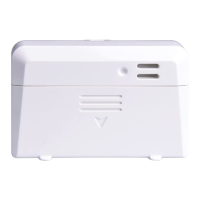
2. Insert one 1.5V AA battery (be aware of
polarity: flat side of the battery goes to the
spring side of the battery compartment).
The temperature reading will display on the
LCD screen immediately and will normally
update every 77 seconds (the sensor
transmission update period).
Note: If there is no reading on the screen,
make sure the battery is inserted the correct
way or a proper reset happens. Make sure the
battery is inserted correctly. Do not install the
battery backward.
4. Close the battery door by installing the
screw.



 To Next Page