14
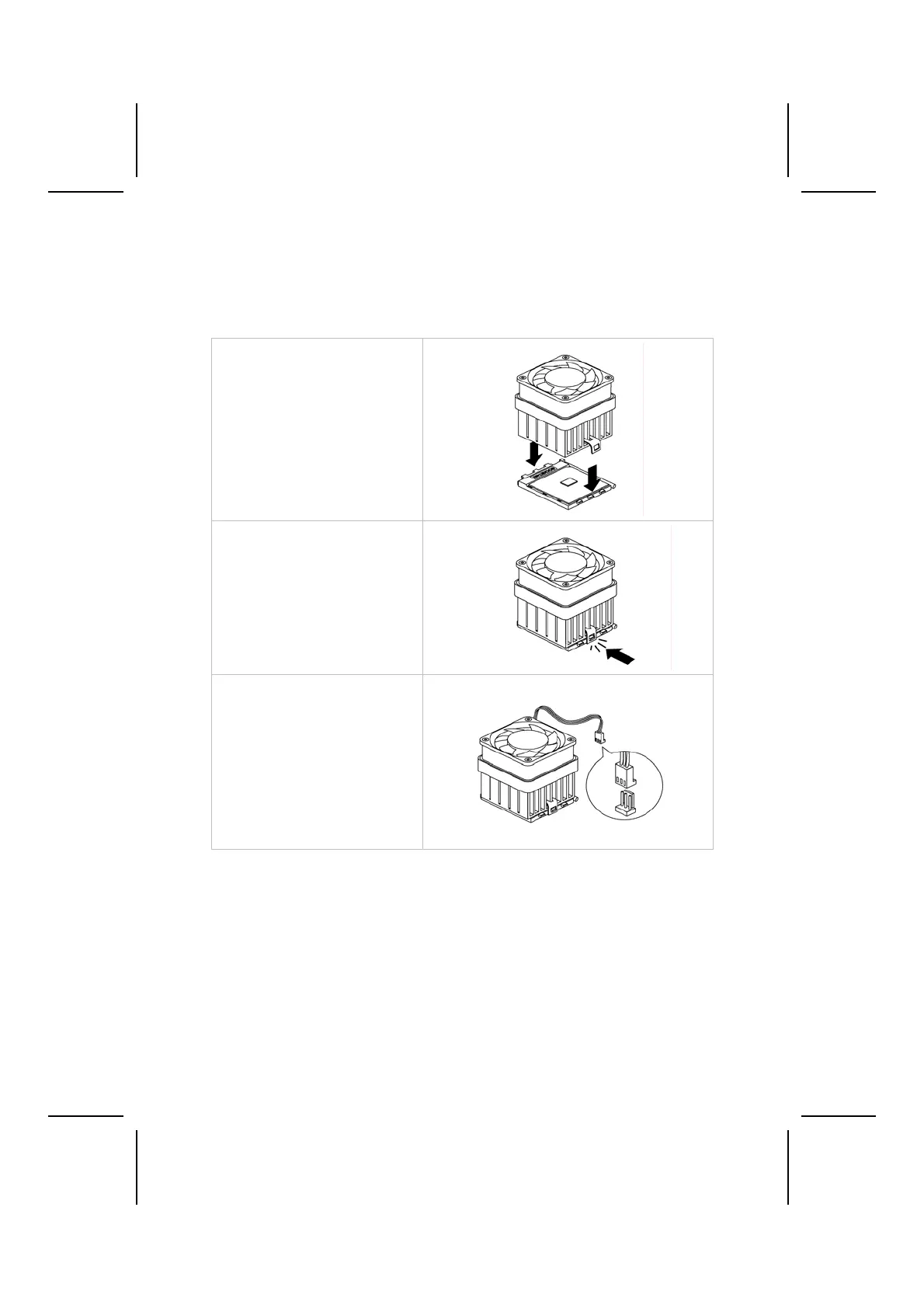
Installing CPU Fan and Fan Connector
CPU fan and heatsink installation procedures may vary with the type of CPU
fan/heatsink supplied. The form and size of fan/heatsink may also vary. With-
out an effective cooling fan, the CPU can overheat and cause damage to both
CPU and the motherboard.
1. Lower the CPU cooling
fan/heatsink assembly onto
the CPU.
2. Secure the two retention clips
on either side of the
fan/heatsink unit onto the
Socket 462 base.
3. Connect the CPU Cooling
Fan power cable connector to
the CPUFAN connector.



 To Next Page