25
Entering the Setup Utility
When you power on the system, BIOS enters the Power-On Self Test (POST)
routines. POST is a series of built-in diagnostics performed by the BIOS. After
the POST routines are completed, the following message appears:
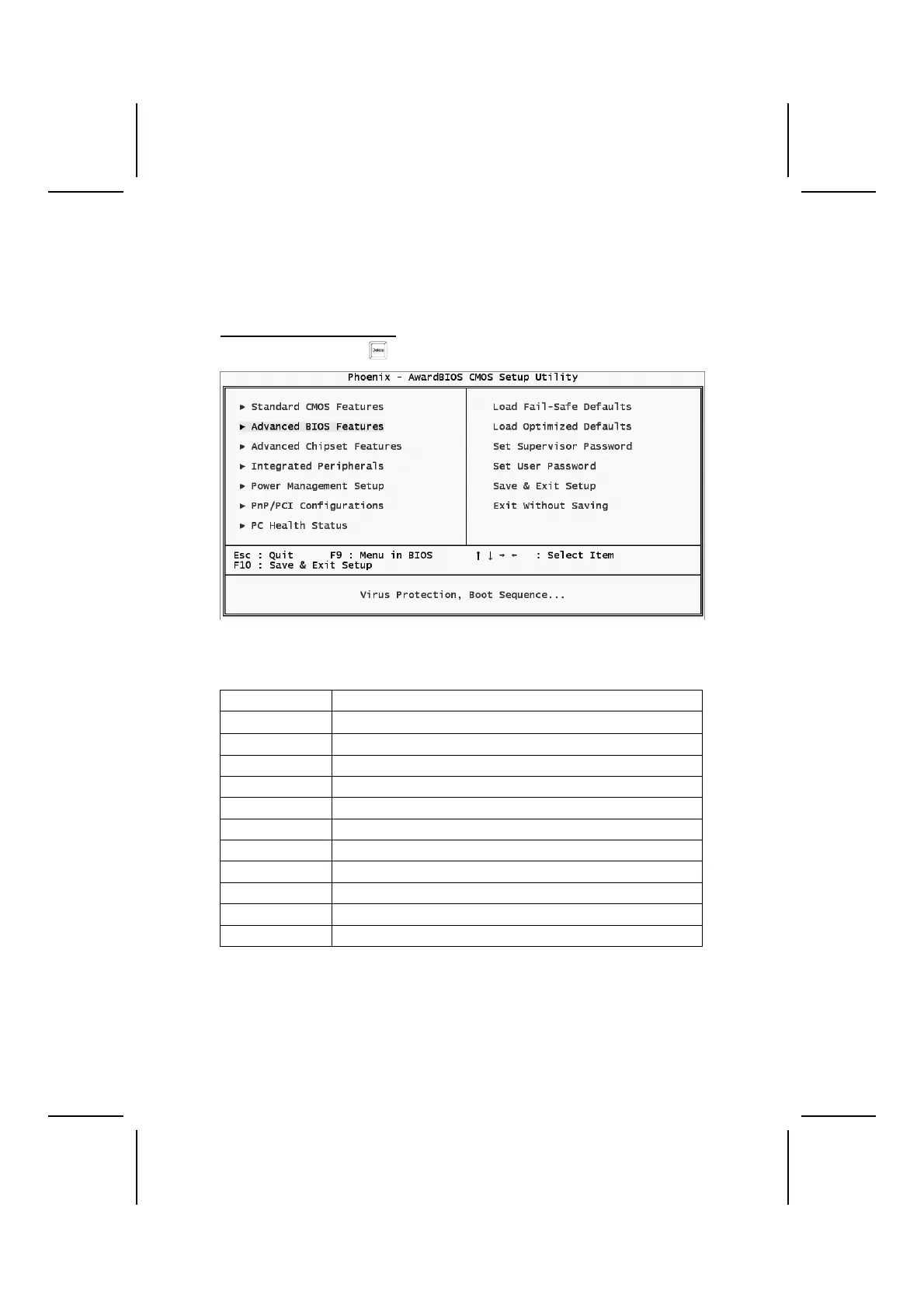
Press DEL to enter SETUP
Pressing the delete key
accesses the BIOS Setup Utility:
BIOS Navigation Keys
The BIOS navigation keys are listed below:
Key Function
←↑↓→
Scrolls through the items on a menu
Enter Select
+/–/PU/PD Modifies the selected field's values
Esc Exits the current menu
F1 Displays a screen that describes all key functions
F2 Item Help
F5 Loads previously saved values to CMOS
F6 Loads a minimum configuration for troubleshooting.
F7 Loads an optimum set of values for peak performance
F9 Menu in BIOS
F10 Saves the current configuration and exits setup
Updating the BIOS
You can download and install updated BIOS for this motherboard from the
manufacturer's Web site. New BIOS provides support for new peripherals,
improvements in performance, or fixes for known bugs. Install new BIOS as
follows:



 To Next Page