23
Installing the Motherboard
Users please note that the fan connector supports the CPU cooling fan of
1.1A ~ 2.2A (26.4W max) at +12V.
CPU_FAN: CPU cooling FAN Power Connector
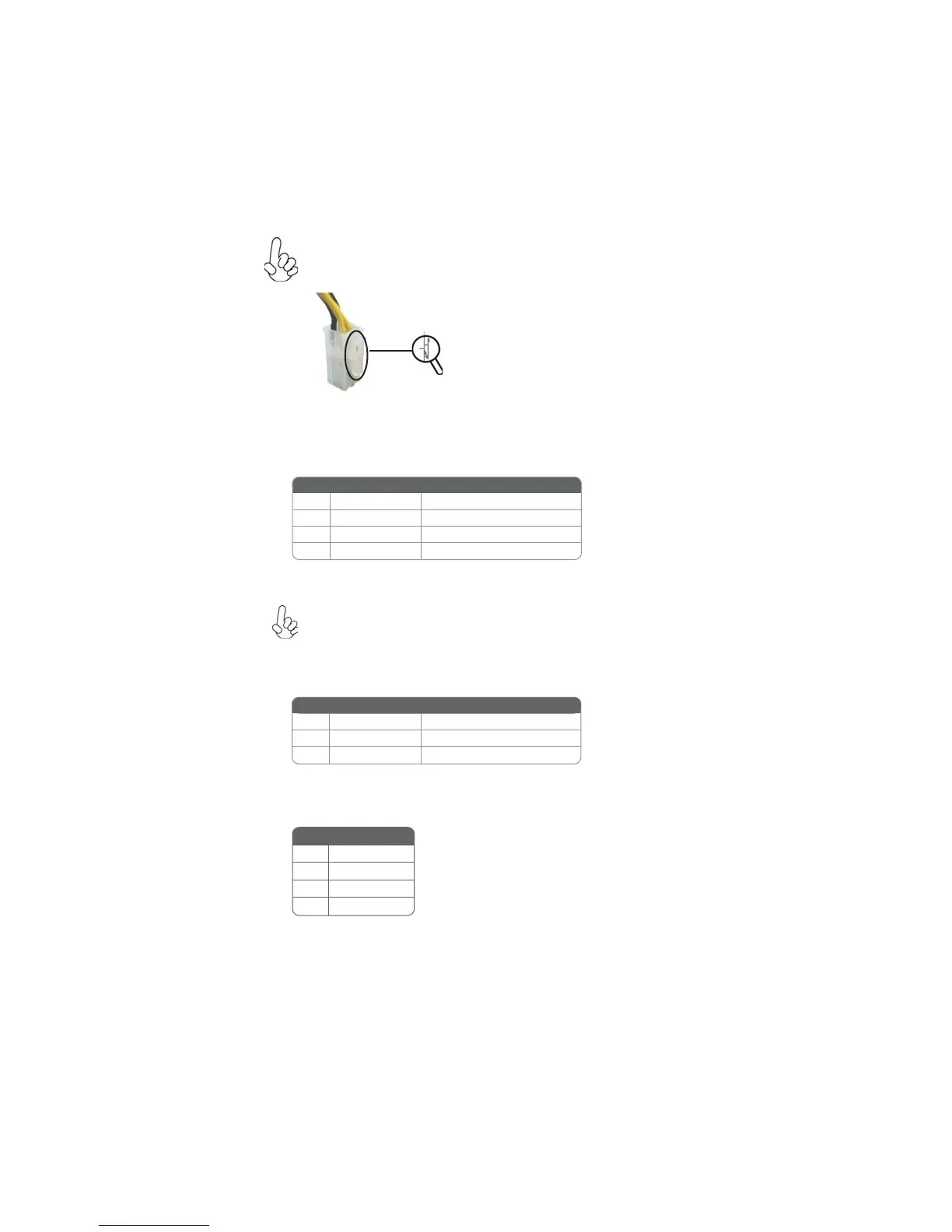
When installing 4-pin power cable, the latch
falls on the left side of the ATX12V connec-
tor.
Users please note that the 4-pin power cables can be connected to the
ATX12V connector.
2. Connecting 4-pin power cable
SYS_FAN: FAN Power Connectors
1 GND System Ground
3 Sense Sensor
Pin Signal Name Function
2 +12V Power +12V
SPK: Intel speaker
1 GND System Ground
3 Sense Sensor
4 PWM PWM
Pin Signal Name Function
2 +12V Power +12V
Pin Signal Name
4 Signal
3 Ground
2 Key
1 VCC
4-pin power cable



 To Next Page