24
Installing the Motherboard
Make sure to connect a 4-pin ATX power cable to ATX4P; otherwise, the
system will be unstable.
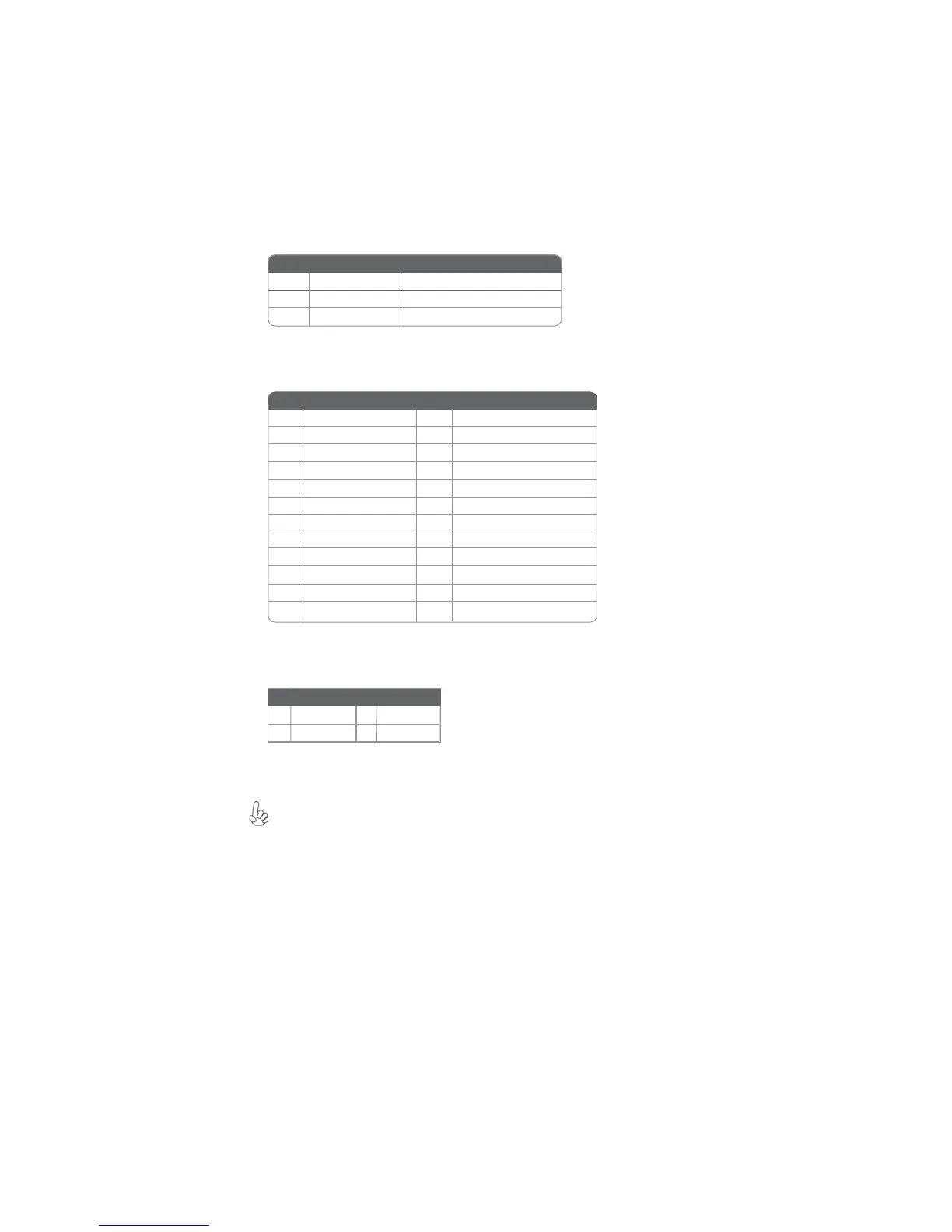
ATX_ POWER: ATX 24-pin Power Connector
Pin Signal Name Pin Signal Name
1 +3.3V 13 +3.3V
2 +3.3V 14 -12V
3 Ground 15 Ground
4 +5V 16 PS_ON
5 Ground 17 Ground
6 +5V 18 Ground
7 Ground 19 Ground
8 PWRGD 20 -5V
9 +5VSB 21 +5V
10 +12V 22 +5V
11 +12V 23 +5V
12 +3.3V 24 Ground
PWR_FAN: FAN Power Connector
Pin Signal Name Function
1 GND System Ground
2
+12V Power +12V
3 Sense Sensor
ATX12V: ATX 12V Power Connector
Pin Signal
Pin Signal
1 Ground 3 +12V
2 Ground 4 +12V



 To Next Page