EDEN
| E SERIES COMBOS |
ENGLISH - 6
EC10 continued
1. Input- Connect your instrument here.
2. Gain- Controls the preamp volume (gain) level of your amplifier.
3. Enhance- Eden tailored EQ modifier adjust this to adjust your overall EQ shaping.
4. Bass- Set at 12 O’clock this EQ provides a perfect flat Bass EQ setting turning to the left will reduce the lower frequencies while turning to
the right increases the lower frequencies.
5. Middle- Set at 12 O’clock this EQ provides a perfect flat Mid EQ setting turning to the left will reduce the Mid frequencies while turning to
the right increases the Mid frequencies.
6. Treble- Set at 12 O’clock this EQ provides a perfect flat High EQ setting turning to the left will reduce the High frequencies while turning to
the right increases the High frequencies.
7. Master- Controls the overall volume of your amplifier.
8. Stereo Media Input- Connect your MP3 / CD player or other device here using a 3.5mm jack plug.
9. Tuner- Connect a standard pedal tuner or other tuning device here.
10. Send- Take signal from here for an external Effects Loop.
11. Return- Return signal here from external Effects Loop.
12. Phones- Insert standard headphones here for silent practice.
13. Power- Switch your unit off or on using this switch.
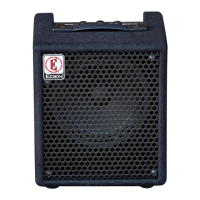
EC10 Unit Specication
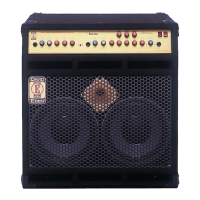
Power • 50 Watts Amplier • 1 x 10 inch Eden Designed 70W Bass Loudspeaker • Volume Controls • Preamp and Power Amp
volume controls • Equalization • 4 stage with Eden’s Enhance EQ shaping control (Enhance) and separate Bass, Mid and
Treble controls • Headphones • Single ¼” Headphone output jack • Stereo Media Input • Input for CD / MP3 or other media
player • Eects Loop • Send and return for standard Eect Loop connectivity • Tuner • Dedicated tuner signal output jack.



 To Next Page