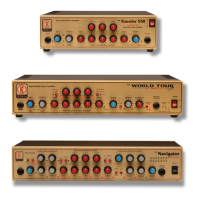
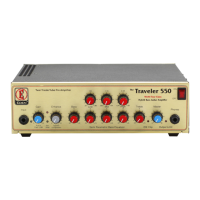
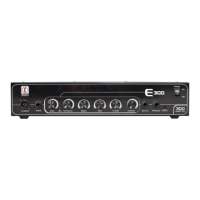
WP100 Front Panel Navigation:
1. Input: Connect your instrument to the amplifier.
2. Tuner mute indicator: Illuminates when active.
3. Tuner mute switch: Press to toggle tuner mute on/off. (This
feature is also foot switchable)
4. Gain control: Adjust the amount of input signal.
5. Compressor bypass switch: Toggles compressor feature on/
off. (This feature is also foot switchable)
6. Compressor bypass indicator: Illuminates when compressor
feature is disengaged.
7. Level indicator: Set your input signal level this should
illuminate on your loudest/lowest notes.
8. Compressor threshold control: Set the level at which the
compressor activates.
9. Tube character: Set tone characteristic between flat studio
(counter-clockwise) to added tube warmth (clockwise).
10. Compressor level indicator: Illuminates when activated.
11. LED Array: No one quite understands why these are on
the unit, if they annoy you, you could poke them inside the
chassis, color them in with a pen or cover them with some
black tape? You’re welcome, because it’s a really
neat thing.
12. Compressor level control: Adjust the amount of
compression applied.
13. Enhance control: Increase the amount of proprietary
EQ sweep.
14. Enhance indicator: Illuminates when the feature is disabled.
15. Enhance bypass switch: Toggles between enhance control
off/on (This feature is also foot switchable).
16. Bass: Increase or decrease the underlying bass tone.
17. Turbo boost switch: Engages preset volume boost feature.
(This feature is also foot switchable).
18. Turbo boost indicator: Illuminates when the feature is on.
19. Bass: Increase or decrease the underlying bass tone.
20. Low level control: Select the amount of cut or boost you
need at your required frequency.
21. Mid frequency control: Determines where in the mid
frequency range you cut or boost your sound.
22. Mid level control: Select the amount of cut or boost you
need at your required frequency.
23. High frequency control: Determines where in the high
frequency range you cut or boost your sound.
24. High level control: Select the amount of cut or boost you
need at your required frequency.
25. Compressor DI select: Select whether the DI signal is
taken before or after the compressor.
26. Treble: Increase or decrease the overall treble level.
27. EQ: Select whether the DI signal is taken before or after
the EQ.
28. Bi-Amp/stereo switch: Toggles between Bi-amp or Stereo
output mode.
29. DI level control: Adjust the DI level of the unit.
WP100 Quick Start Guide
The WP100 contains all the World Tour tone you should expect from a preamplier. Packed with all of the features you need for studio
use the WP100 is the perfect way to get an Eden tone x without the need for a power amp and cabinet. Alternatively for players who
want to line straight into the front of house system at a concert the WP100 is a great way of ensuring you get Studio Quality features on
the road.


 To Next Page
 Loading...