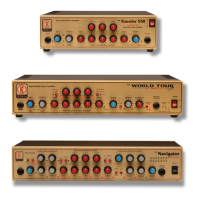
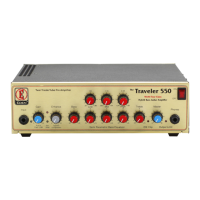
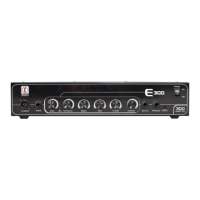
WT800 Front Panel Navigation:
1. Eden logo: Illuminates when unit is switched on.
2. Input: Connect your instrument to the amplifier here.
3. Gain control: Use this to set the input level for the amplifier
to suit your instrument. Pull this control to activate the
mute feature.
4. Set level indicator: Use this to help set your input signal
level this should illuminate on your loudest/lowest notes.
5. Enhance: Providing Eden tone shaping use this control to
increase the amount of proprietary EQ sweep in your sound.
6. Input PAD indicator: Illuminates when input pad is active.
7. Input PAD switch: This control activates the input pad
feature reduces input signal level by -10DB.
8. Bass: Use this control to increase or decrease the underlying
bass tone of the amplifier.
9. Low frequency control: Use this low frequency selector to
determine where in the low frequency range you cut or boost
your sound.
10. Low level control: Use this control to select the amount of
cut or boost you require at your required frequency.
11. Mid frequency control: Use this Mid frequency selector to
determine where in the mid frequency range you cut or boost
your sound.
12. Mid level control: Use this control to select the amount of
cut or boost you require at your required frequency.
13. High frequency control: Use this High frequency selector
to determine where in the High frequency range you cut or
boost your sound.
14. High level control: Use this control to select the amount of
cut or boost you require at your required frequency.
15. Compressor switch: Toggles compression off / on.
16. Treble: Use this control to increase or decrease the overall
treble level of the amplifier.
17. Compressor indicator: This illuminates when compressor
is on.
18. EQ Clip indicator: Illuminates when EQ is being clipped.
19. Master: Controls the overall output level (volume) of
the amplifier.
20. Bi-Amp Mode Switch: Turns Bi-Amp mode off/on.
BEFORE USING THIS FEATURE PLEASE READ AND
UNDERSTAND THE “BEFORE YOU PLUG IN” SECTION
OF THIS GUIDE!
21. Balance control: Controls the output power for each side of
the amplifier.
22. Crossover control: Controls the crossover point between
each amplifier (Bi-Amp Mode Only).
23. Bridged mono: Turns Bridged Mono feature on / off.
BEFORE USING THIS FEATURE PLEASE READ AND
UNDERSTAND THE “BEFORE YOU PLUG IN” SECTION
OF THIS GUIDE!
WT800 Quick Start Guide


 To Next Page
 Loading...