Edge, Quick Installation Guide
13
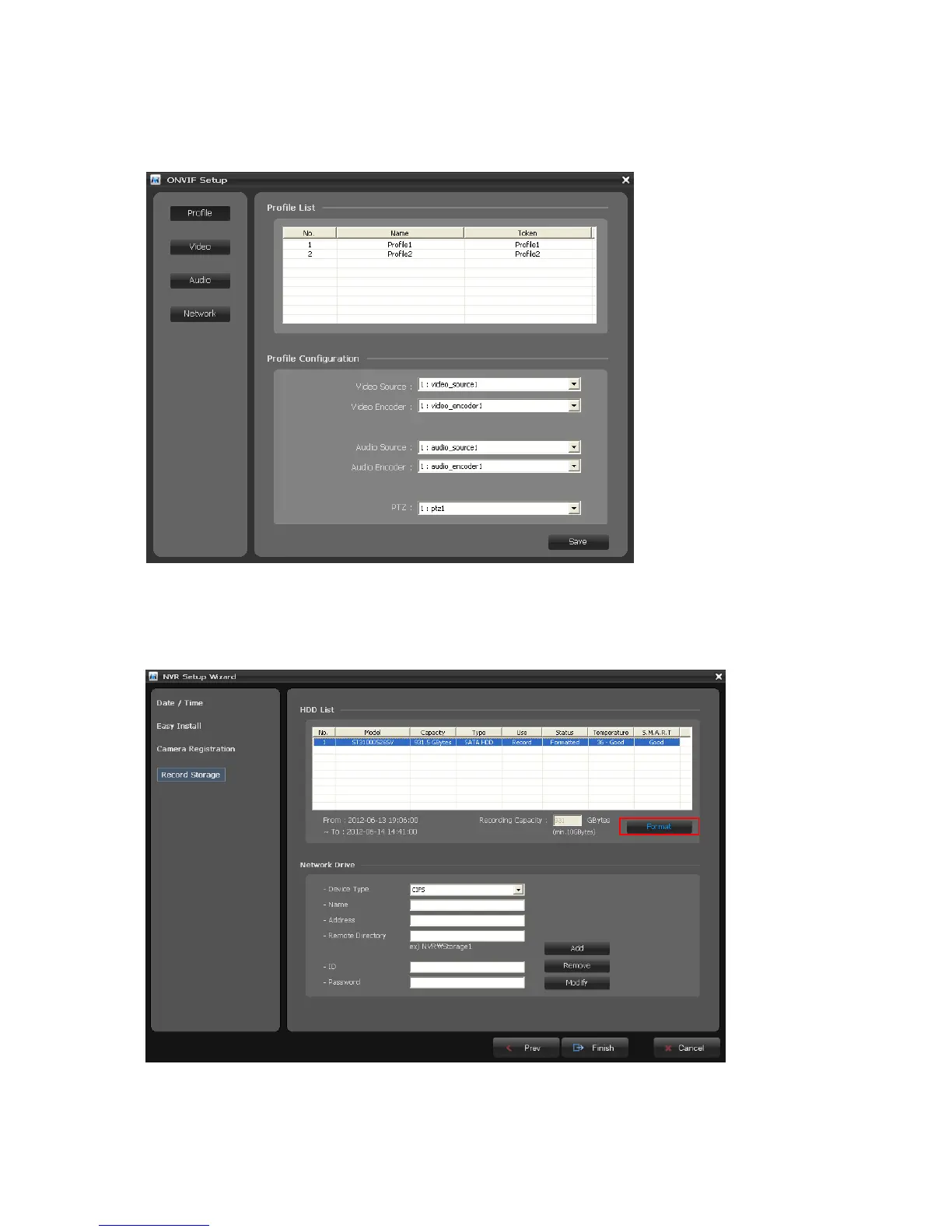
If you want to configure more detail information for a selected camera, click the Onvif Setup
button in the Setup Wizard window. You can configure camera settings about Profile, Video, Audio, and
Network.
[Step4]
The list of available hard disk drives is displayed with the information of the hard disk drives. Select a
hard disk drive from the list and click the Format button.
Caution: You must format HDD to record video from camera after installing HDD at the first.



 To Next Page