EasyManua.ls Logo

EdgeStar DEP701EW - User Manual

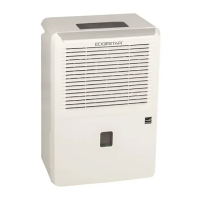
EdgeStar DEP701EW
17 pages
Print Icon
To Next Page IconTo Next Page
Loading...
Dehumidifier
Owner’s Manual
For more information on other great EdgeStar products on the web, go to http://www.edgestar.com
Model: DEP701EW

Questions and Answers

  • P
    Patricia DeckerAug 18, 2025
    What to do if my EdgeStar DEP701EW is not functioning at all?
    • C
      Colleen CrawfordAug 18, 2025
      If your EdgeStar Dehumidifier isn't functioning, ensure it's properly plugged in and receiving power. Try a different outlet and check the circuit breaker. Also, make sure the water bucket is empty and correctly positioned. If indicator lights don't turn on, it might indicate a disconnected control panel, in which case you should contact customer service.
  • R
    Rachael GutierrezAug 20, 2025
    How to improve the drying performance of my EdgeStar DEP701EW?
    • M
      michael45Aug 20, 2025
      If your EdgeStar Dehumidifier is not drying the air effectively, try these steps: Run the unit for a longer time period. Ensure that air intake or exhaust vents are not blocked by objects like towels, curtains, or furniture. Lower the humidity control setting, and consider running the unit in continuous mode. Close all windows and doors. Increase the room temperature if it is below 41ºF. Finally, remove any devices in the room that might be producing water vapor.
  • K
    Kimberly RodriguezAug 22, 2025
    Why is my EdgeStar DEP701EW Dehumidifier making a loud noise?
    • S
      Sara WilliamsAug 22, 2025
      If your EdgeStar Dehumidifier is making loud noises, ensure it is placed on a level surface. If that doesn't solve the problem, turn it off and check the fan for any foreign objects that may be causing the noise. Clean the air filter, as a clogged filter can also contribute to increased noise levels.
  • M
    Mr. Justin WilsonAug 26, 2025
    What to do if my EdgeStar DEP701EW Dehumidifier is leaking water?
    • J
      Jesse HamiltonAug 26, 2025
      If your EdgeStar Dehumidifier is leaking, check if the drain hose is securely attached. Ensure it's properly routed to a drain hole or condensate pump. If the water bucket is cracked, contact customer service.
  • B
    Brandon HarrisAug 27, 2025
    Why does my EdgeStar DEP701EW Dehumidifier trip the power cord or circuit breaker?
    • T
      Toni MartinAug 27, 2025
      If your EdgeStar Dehumidifier runs briefly and then trips the power cord or circuit breaker, it might be plugged into an outlet that cannot supply enough current. In this case, contact an electrician to evaluate the outlet or try using the unit in a different room or on a different circuit.
  • D
    Donna HallAug 30, 2025
    Why is my EdgeStar DEP701EW Dehumidifier making a metallic knocking or pinging sound?
    • R
      Robert ParkAug 30, 2025
      If your EdgeStar Dehumidifier is making a continuous metallic knocking or pinging sound, turn off the unit. Allow it to sit on a level surface for at least 24 hours before restarting it. If the sound persists, it could indicate a damaged compressor, and you should contact customer service.
  • B
    barberkimberlySep 2, 2025
    Why does frost appear on the coils of my EdgeStar DEP701EW?
    • E
      Emily AllenSep 2, 2025
      If frost appears on the coils of your EdgeStar Dehumidifier, this is normal. The unit has an auto-defrost feature.
  • C
    Carlos PhamSep 4, 2025
    What does a P2 error mean on my EdgeStar Dehumidifier?
    • C
      Christopher FischerSep 4, 2025
      If your EdgeStar Dehumidifier displays a P2 error, it indicates that the bucket is full or not correctly installed. Empty the bucket and reinstall it properly.
  • B
    Brenda WilsonSep 6, 2025
    Why are the control panel lights blinking randomly on my EdgeStar Dehumidifier?
    • K
      Kevin LongSep 6, 2025
      If the control panel lights on your EdgeStar Dehumidifier blink randomly, restart the unit. If the issue continues, contact customer service, as it may indicate a faulty control panel.
  • S
    Samantha MorganSep 9, 2025
    What does an EC error mean on my EdgeStar Dehumidifier?
    • D
      Denise OrtegaSep 9, 2025
      If your EdgeStar Dehumidifier displays an EC error, ensure that the ambient temperature is suitable for the unit (41°F – 95°F). If the temperature is outside this range, operate the unit within the specified temperatures. If the ambient temperature is suitable, contact customer service.

Summary

Important Safety Information

Installation Instructions

Dehumidifier Setup Procedure

Step-by-step guide for unpacking, positioning, and setting up the dehumidifier.

Control Panel Overview

Control Panel Operation

Power Operation

Controls unit power on/off and default operating mode.

Continuous Mode Function

Activates continuous dehumidification until the water bucket is full.

Control Panel Display and Error Codes

Error Code Interpretation

Interprets error codes (AS, ES, EC, P2) for diagnosing unit malfunctions.

Draining the Unit

Dehumidifier Maintenance

Pre-Filter Cleaning

Steps for cleaning the air pre-filter to maintain efficiency.

Water Bucket Cleaning

How to wash the water bucket to prevent mold and bacteria.

Troubleshooting Guide

EdgeStar DEP701EW Specifications

General IconGeneral
Dehumidification Capacity70 pints per day
ModelDEP701EW
ManufacturerEdgeStar
Coverage Areaup to 4, 500 sq. ft.
ControlsElectronic
DisplayDigital
Filter TypeWashable air filter
Low Temperature OperationYes
Auto DefrostYes
Auto RestartYes
MobilityCaster Wheels
ColorWhite
RefrigerantR-410A
Voltage115 V / 60 Hz
Noise Level52 dB
Energy Star RatedYes
Drainage OptionContinuous or Manual
Operating Temperature41°F to 95°F
Humidity ControlAdjustable

Related product manuals