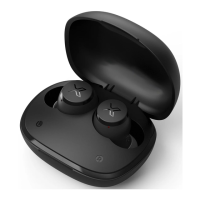
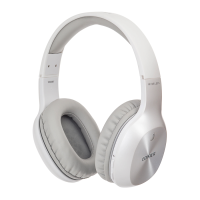
Need help?
Do you have a question about the EDIFIER X5 and is the answer not in the manual?
Ensure device is charged, in range, and try toggling Bluetooth off/on. Keep device in range for successful connection.
Reset Bluetooth chip by unplugging speakers for 10 minutes, then plugging back in and pairing the device.
Delete headphones from paired list, restart them, and check for the most recent firmware updates for optimal performance.
Steps to resolve Bluetooth pairing failures: ensure Bluetooth is on, determine pairing process, enable discoverable mode, check proximity.
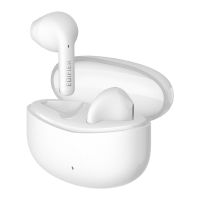
Pair Edifier Neobuds Pro by holding the touch panel on the left earbud for 8 seconds until it blinks blue.
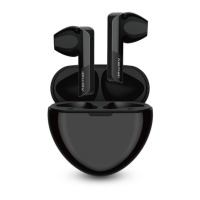
TWS1 Pro enters pairing mode automatically. For other phones, hold touch button for 2-3 seconds to initiate pairing.
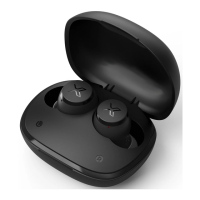
Triple-click the button on the case to restore earbuds mode and interconnection; try again or switch to game mode.
Ensure Bluetooth accessory and iOS device are close, toggle Bluetooth off/on, and check accessory charge.
This document provides a comprehensive guide to troubleshooting and managing Bluetooth connections, specifically focusing on Edifier audio devices like earbuds and speakers, as well as general Bluetooth pairing issues with laptops, PCs, and iPhones. It covers a wide range of topics from initial setup and pairing to advanced troubleshooting and maintenance.
The primary function of this guide is to assist users in resolving common Bluetooth pairing and connection problems with their Edifier audio devices and other Bluetooth-enabled gadgets. It serves as a detailed manual for establishing, maintaining, and troubleshooting wireless audio connections, ensuring a seamless user experience. The guide addresses scenarios where earbuds or speakers fail to connect to laptops, PCs, or iPhones, and provides step-by-step instructions for various fixes. It also delves into the operational aspects of Edifier devices, such as putting them into pairing mode, resetting them, and managing their firmware.
The guide offers extensive usage features, making it a valuable resource for both novice and experienced users.
While not explicitly detailing physical maintenance, the guide provides crucial software and operational maintenance features that contribute to the longevity and optimal performance of Bluetooth devices.
In summary, this document acts as a comprehensive support system for users of Edifier Bluetooth audio devices and other Bluetooth-enabled gadgets, guiding them through setup, usage, and troubleshooting with a focus on practical, actionable solutions.
 General
| Bluetooth Version | 5.0 |
|---|---|
| Frequency Response | 20Hz - 20kHz |
| Water Resistance | IP55 |
| Connectivity | Bluetooth |
| Sensitivity | 95 dB |
| Charging Time | 1.5 hours |
| Type | True Wireless |
| Impedance | 16Ω |
| Playback Time | 6 hours (earbuds), 18 hours (with charging case) |

 To Next Page