Need help?
Do you have a question about the EDIFIER Xemal X2 and is the answer not in the manual?
Describes how to power the earbuds on when removed from the case and off when placed back.
Instructions for pairing the earbuds with a device via Bluetooth settings.
Steps to reset the earbuds to factory default settings by using the touch panel.
Procedure to connect or re-connect the left and right earbuds to each other.
Instructions for charging the earbuds and their LED indicator status.
Instructions for charging the case and its LED indicator status.
Details on various touch commands for music, calls, and voice assistants.
Information on where to find more details and support online.
Contact and address information for the manufacturer.
Disclaimers regarding technical improvements, product customization, and image variations.
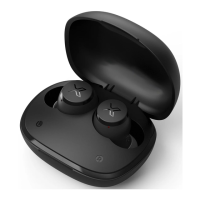
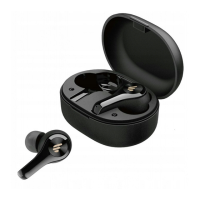
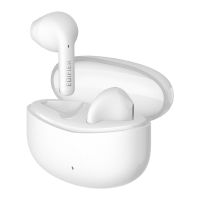
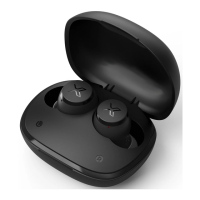
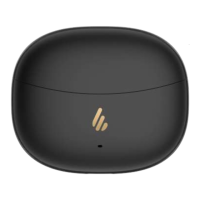
This document describes the Edifier X2 True Wireless Earbuds Headphones, offering guidance on their operation, pairing, charging, and maintenance.
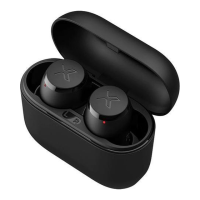
The Edifier X2 are true wireless earbuds designed for audio playback and communication. They are equipped with touch controls for various functions, including music playback, call management, and voice assistant activation. The earbuds come with a charging case that not only protects them but also provides additional battery life, allowing for extended use on the go. The device supports Bluetooth connectivity for seamless pairing with compatible devices.
Power ON/OFF: The earbuds feature an automatic power management system. They power on automatically when taken out of the charging case, indicated by a blue LED lighting up for 1 second. Conversely, they power off automatically when placed back into the charging case.
Pairing: To pair the earbuds with a device:
Reset: If you encounter connectivity issues or wish to clear previous pairings, you can reset the earbuds:
Left & Right Connection (Connecting to another X2 earbuds): This feature allows for managing the connection between the left and right earbuds, particularly useful if they become unpaired or if you wish to re-establish their connection. To cancel the Left & Right connection:
Controls: The Edifier X2 earbuds feature intuitive touch controls on both the left and right touch panels, allowing for easy management of various functions:
Music Playback:
Call Management:
Voice Assistant:
Game Mode:
Volume Control:
Power On/Off (Manual):
Charging: The Edifier X2 earbuds and their charging case are designed for convenient charging.
Earbuds Charging:
Charging Case Charging:
Important Notes for Maintenance:
For further information and support, users can visit the Edifier website at www.edifier.com or connect with Edifier on social media platforms such as Facebook, Instagram, and Twitter using the handle @Edifierglobal.
 General
| Frequency Response | 20Hz-20kHz |
|---|---|
| Impedance | 32Ω |
| Sensitivity | 95dB±3dB |
| Driver Unit | Dynamic |
| Connection | Wired |
| Cable Length | 1.2m |
| Driver Diameter | 13mm |

 To Next Page