BR-6641 User Manual
30
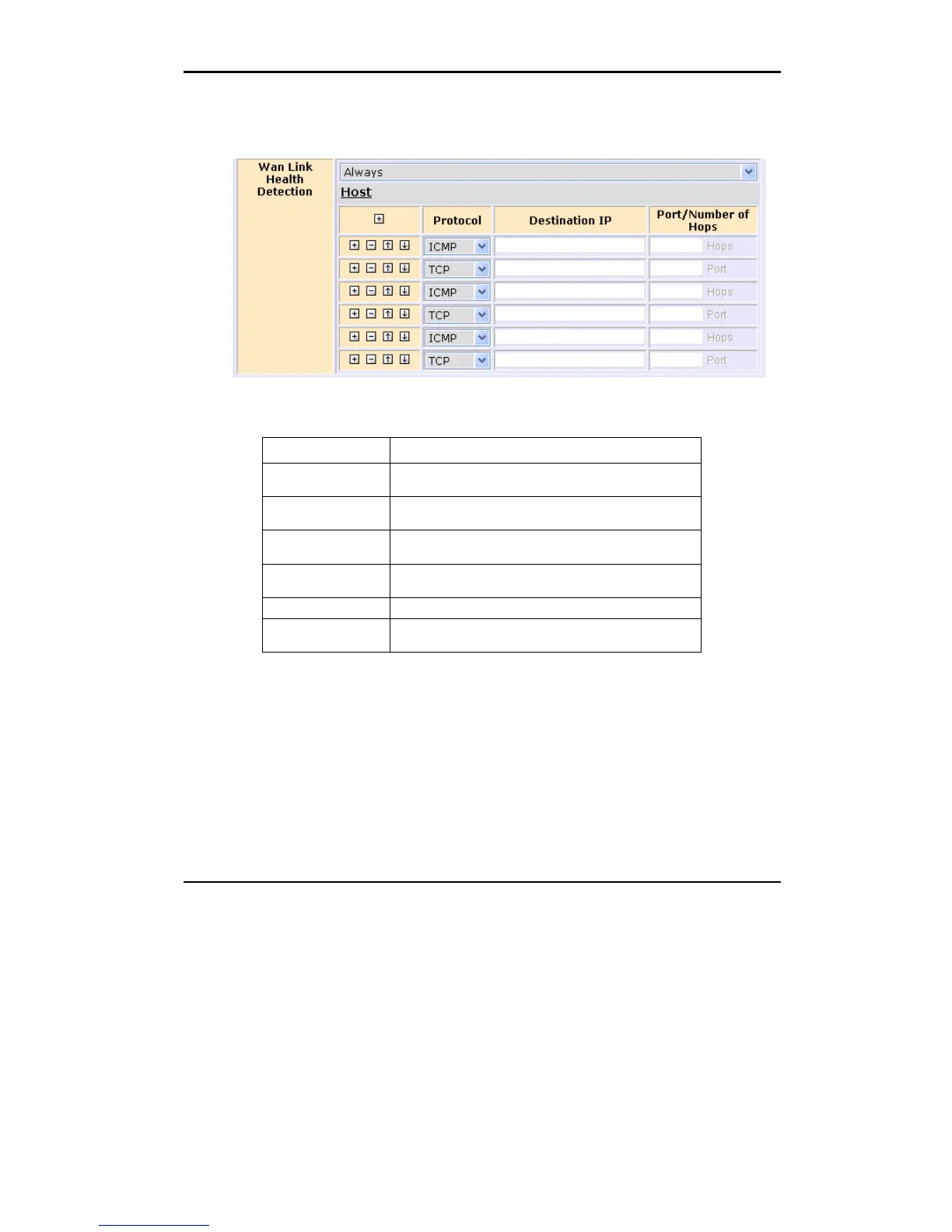
Health Detection page, the following parameters are available:
Figure 3.5 WAN Link Health Detection
Field Description
Never BR-6641 assumes a healthy WAN and stop monitoring
ICMP and TCP packets.
Always BR-6641 will always do the health detection according to
the rules.
Only when no packet
is received
If BR-6641 detects no inbound WAN traffic, it will start the
health detection.
Protocol Choose either ICMP or TCP as methods for WAN health
detection.
Destination Input the destination IP Address.
Port/Number of Hops Set the Hops if ICMP is selected.
Set the Port number if TCP is selected.
Table 3.2 The description of the field in WAN Link Health Detection


 To Next Page
 Loading...













