25
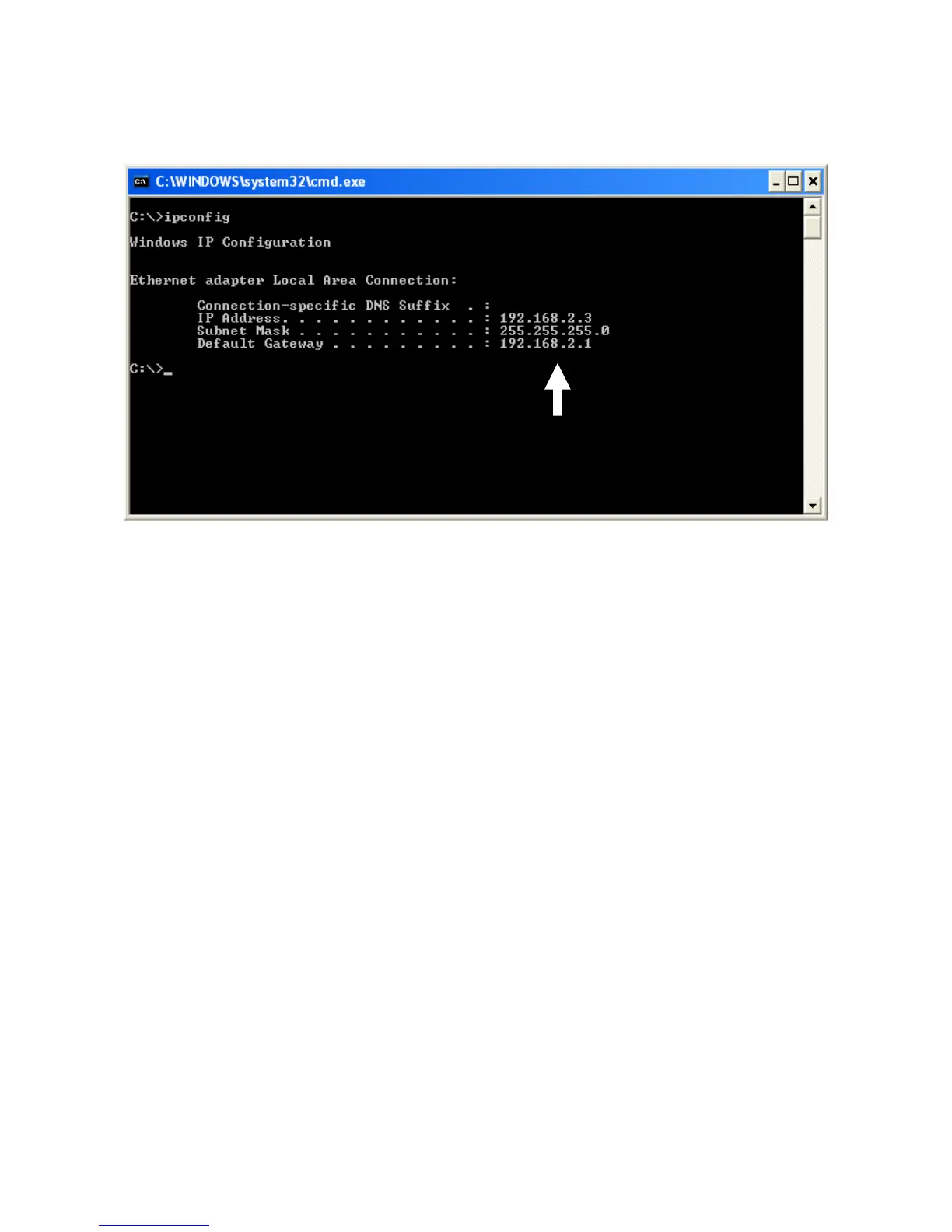
3. Input“ipconfig”,thenpress“Enter”.UsetheIPaddressfollowing“Default
Gateway”toaccessthisrouter’sweb‐basedconfigurationinterface.Pleasenote
thattheIPaddressyoufindmaybedifferentfromthisillustratedexample.
NOTE:IfthereisnoIPaddressfollowing“DefaultGateway”,oriftheaddress
following“IPAddress”beginswith“169”,pleasetrythefollowingprocedures:
z Recheckthecableconnectionbetweenthecomputerandtherouter.
z Gotothebeginningofthischapterandrecheckeverystepof
thesetup
procedure.
z Ifbothoftheabovefails,resetthebroadbandrouter.














 To Next Page