Chapter 4
Advanced features
4.1 Making a device undiscoverable to other users
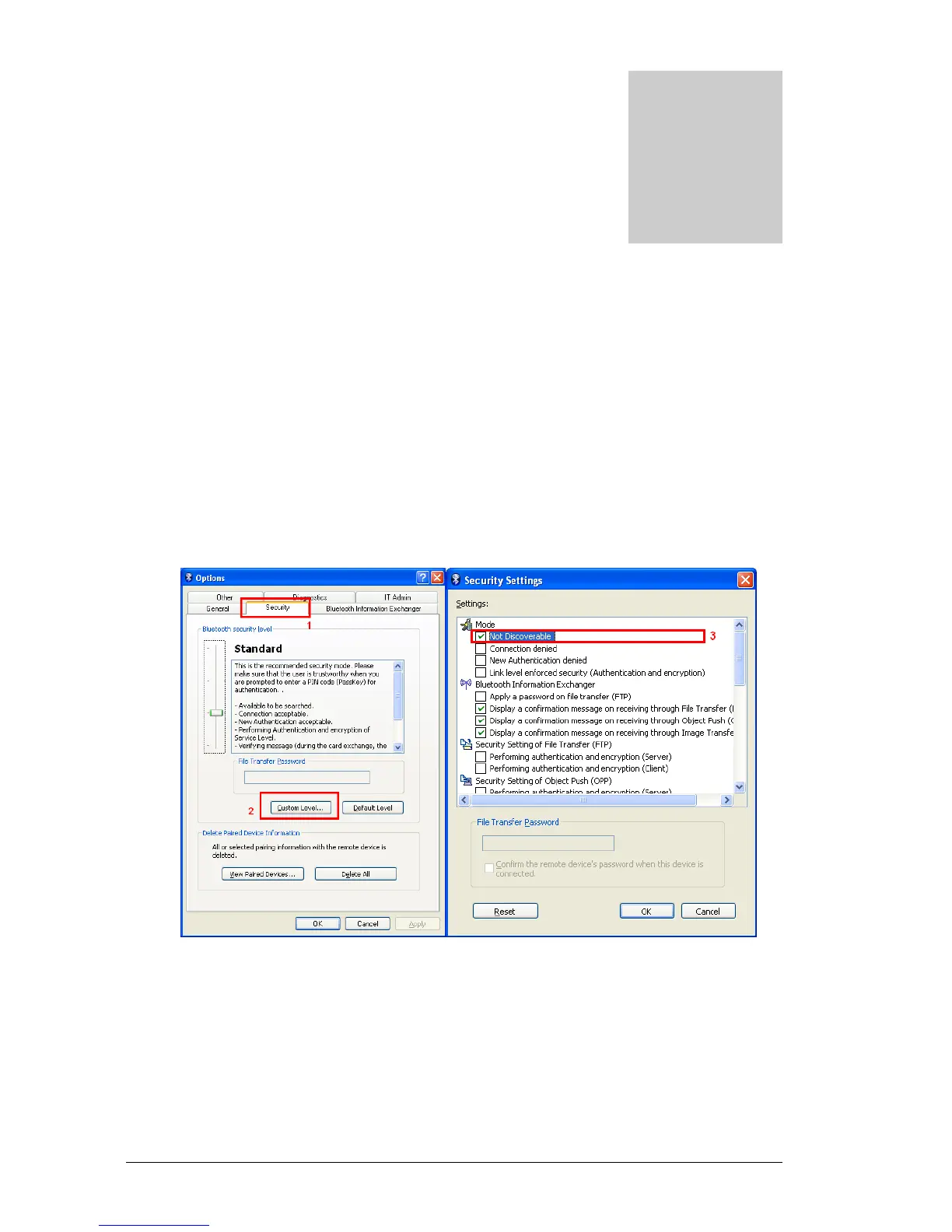
1. Right-click on the Bluetooth icon in the task tray, and then click on
[Options…].
The [Options] window will appear.
2. Tab [Security], then select [Custom Level], enable [Non-discoverable
mode], and then click on the [OK] button.
Your device will now be undetectable by other users, even when they search
for other devices.
Note
●Other devices are still able to establish connections with your device even if you
have enabled the Non-discoverable mode.
Please enable "Non-connectable mode" if you wish to reject connections from
other devices.
4



 To Next Page