4.2 Encrypting the content of your transmissions
Since Bluetooth communication is conducted wirelessly, there is always the
possibility that a third party may be able to intercept your transmissions.
You can use encryption to render the content indecipherable to anyone who
manages to intercept it.
Important
●Encrypting your transmissions will still not guarantee complete security. Accordingly,
please be aware that transmitting data is conducted with an element of risk for the
user.
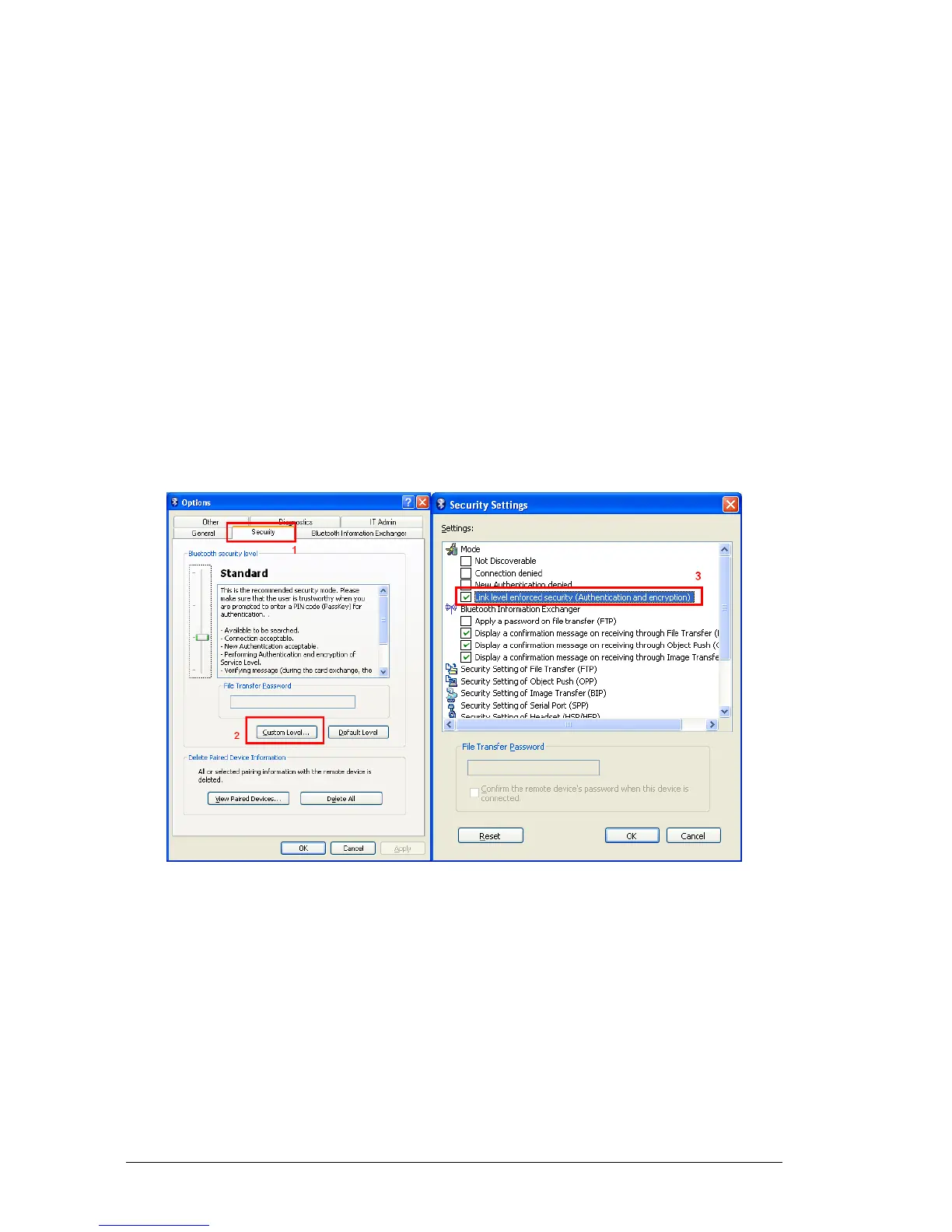
1. Right-click on the Bluetooth icon in the task tray, and then click on
[Options…].
2. Tab the [Custom Level]
3. In the option under the Mode tab, enable [Link level enforced security
[Authentication and encryption] ] then click [OK] to accept it.
Note
● Once you have configured the encryption, a window will appear when you first make a
connection to another device, prompting you to enter a Bluetooth passkey (PIN code).
Please click on the [OK] button after you have entered the passkey.



 To Next Page