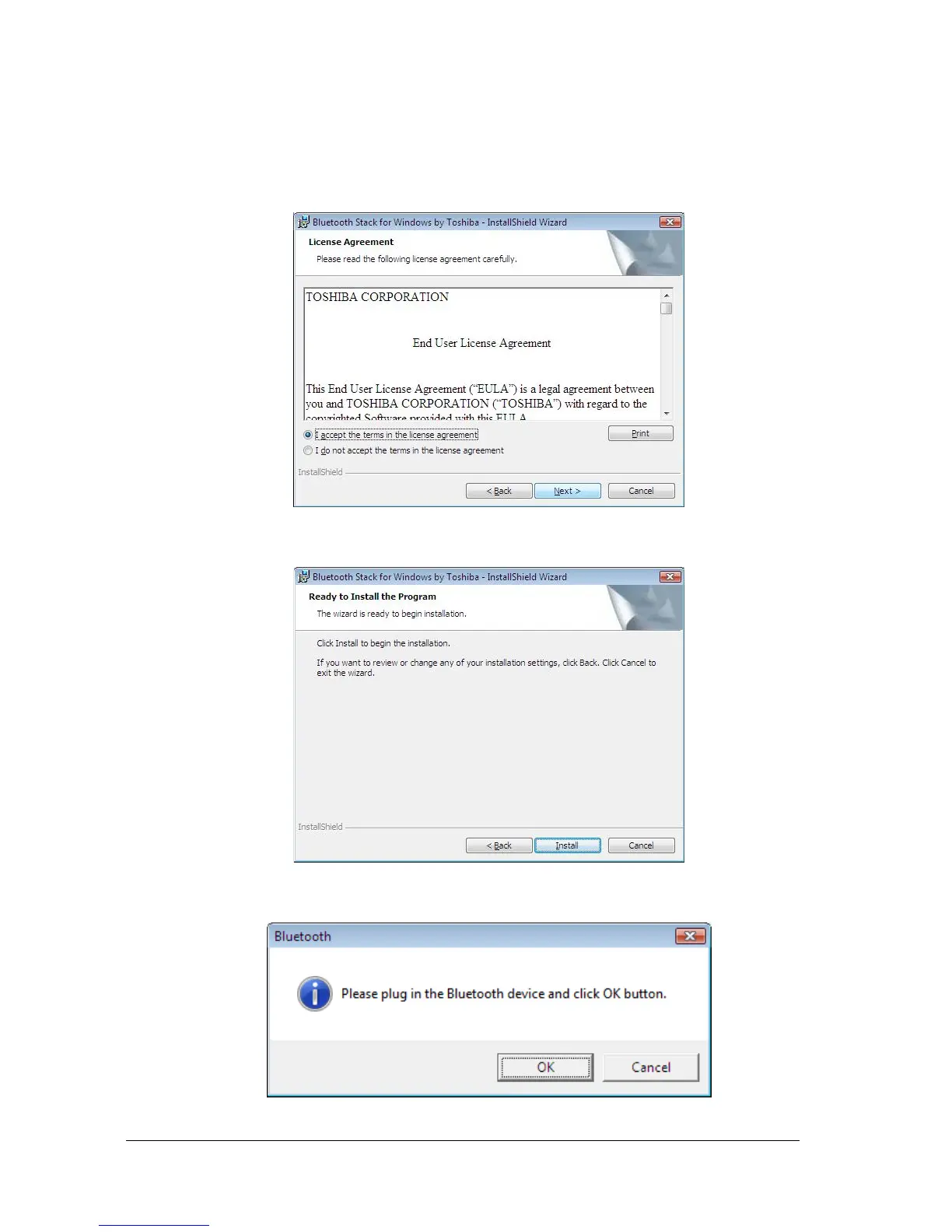
3. When the License Agreement screen is displayed, read the License Agreement,
then clicks the radio button to the left of "I accept the terms in the license
agreement" and then clicks the “Next“button.
4. Please click “install” to begin the installation.
5. During the installation, the system will try to detect your Bluetooth device, please
plug in your Bluetooth device and then click on the “OK” button.



 To Next Page