10
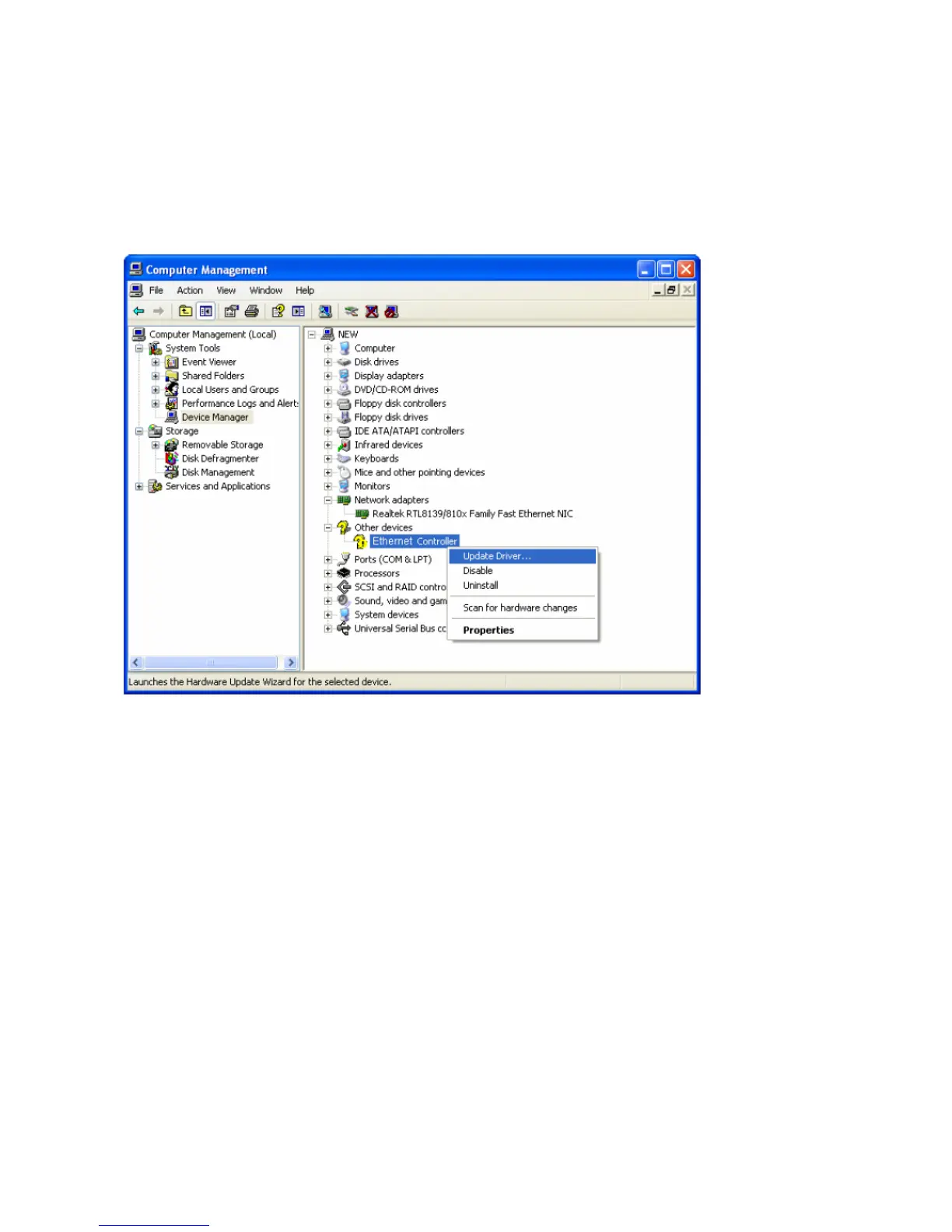
C. The “Computer Management” screen will appear as shown. Click “Device
Manager”, and you will see various options on the right. Click “Other
devices”, and then from the drop-down list please find “Ethernet
Controller” you have installed. Right-click it, and then select “Update
Driver”.
D. The “Hardware Update Wizard” window will show up. Select “Install from a
list or specific location [Advanced]”, and then click “Next”.


 To Next Page